Hierarchy Blueprints — Set Up Your Location Structure from a Pre-Built Template
Last updated: October 19, 2026
This article explains how to set up a location hierarchy in Xenia using a predefined blueprint.
What Hierarchy Blueprints Are
Setting up a location hierarchy in Xenia requires defining the levels (e.g., Brand → Region → Location) before adding individual stores. Hierarchy Blueprints give you pre-built level structures for common business types — so instead of creating each level manually, you pick the structure that matches your organization and it's created instantly.
Six blueprints are available:
Blueprint | Structure |
|---|---|
Single-Layer | Location (site level) |
Multi-Location Flat | Brand → Location |
Multi-Level Restaurant | Brand → Region → Location |
Multi-Level Retail | Region → District → Store |
C-Stores | Region → Division → Store |
Hotels | Brand → Property → Outlet |
You can also add custom levels within any blueprint using + Add level before creating the hierarchy.
How to Use Hierarchy Blueprints
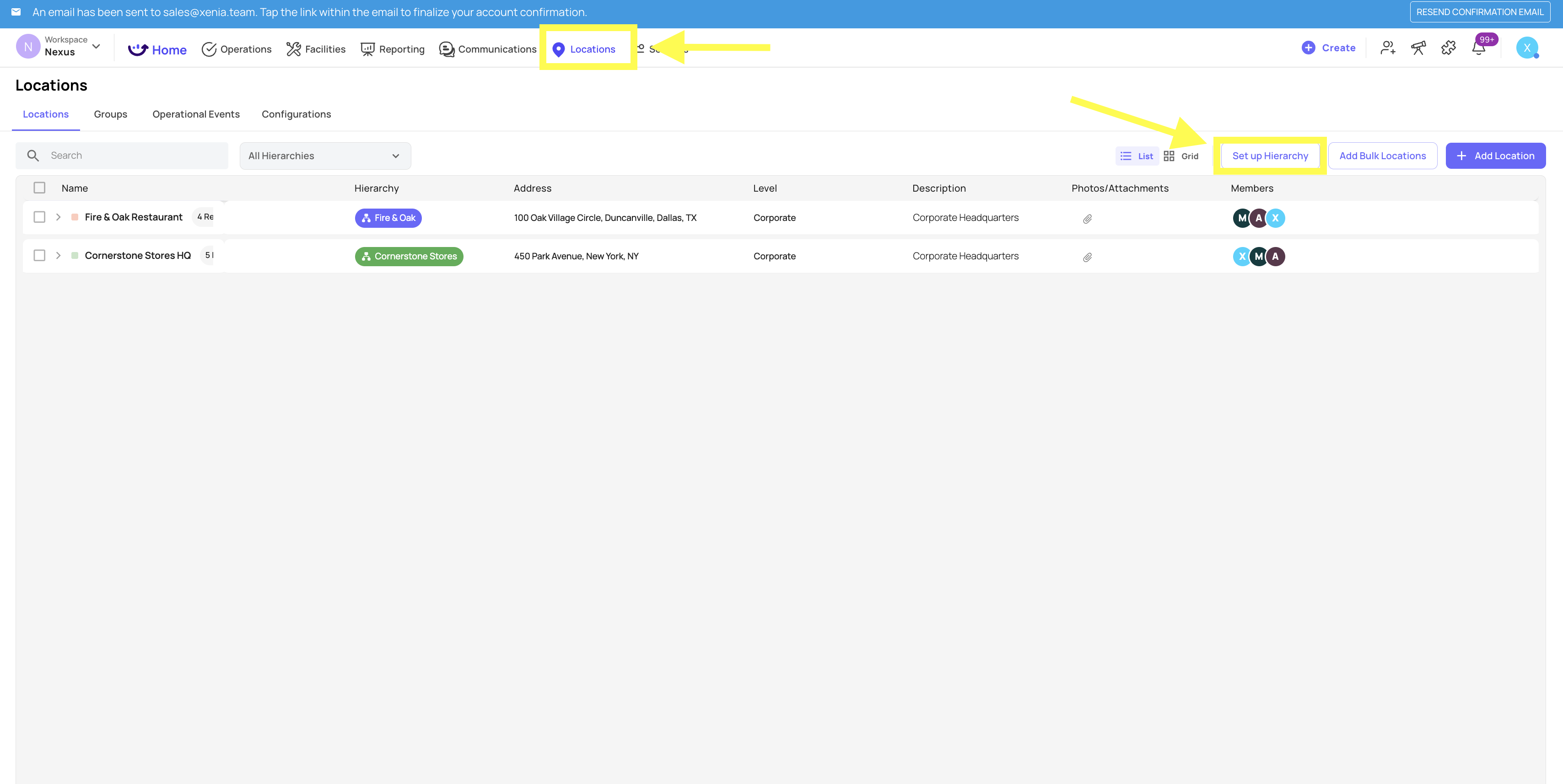
Go to Locations in the top navigation
Click Set up Hierarchy in the top right corner
A modal opens: Start from a blueprint
Select the blueprint that matches your organization structure
Optionally give the hierarchy a name (defaults to the blueprint name if left blank)
Click Create Hierarchy
The hierarchy level structure is created immediately. You can then start adding individual locations within that structure.

Choosing the Right Blueprint
Single-Layer — one location or a flat list of independent stores with no regional grouping. Best for small operations (1–5 locations) or operations where all stores are treated equally.
Multi-Location Flat — Brand is the top level, locations sit directly beneath. Best for small multi-location operations that don't need regional grouping yet.
Multi-Level Restaurant — Brand → Region → Location. Best for restaurant groups with regional managers overseeing clusters of stores.
Multi-Level Retail — Region → District → Store. Best for retail chains with a district management layer between regional and store level.
C-Stores — Region → Division → Store. The standard structure for convenience store operations.
Hotels — Brand → Property → Outlet. Best for hotel groups where each property may have multiple outlets (restaurants, bars, spa).
After Creating the Hierarchy
Once the hierarchy structure is created:
Add individual locations at the correct level using + Add Location or Add Bulk Locations
Assign users to locations through their location membership in Settings → Users
Your hierarchy is immediately available for project deployment, submission filtering, and reporting scoping
You can have multiple hierarchies in one workspace — useful for organizations running multiple brands or concepts.
Need Help?
Reach out to our Support Team at Support@xenia.team