Playbook Packs — Get Industry-Specific Templates in One Click
Last updated: October 19, 2026
This article explains how to import industry-specific playbook templates within the Xenia platform.
What Playbook Packs Are
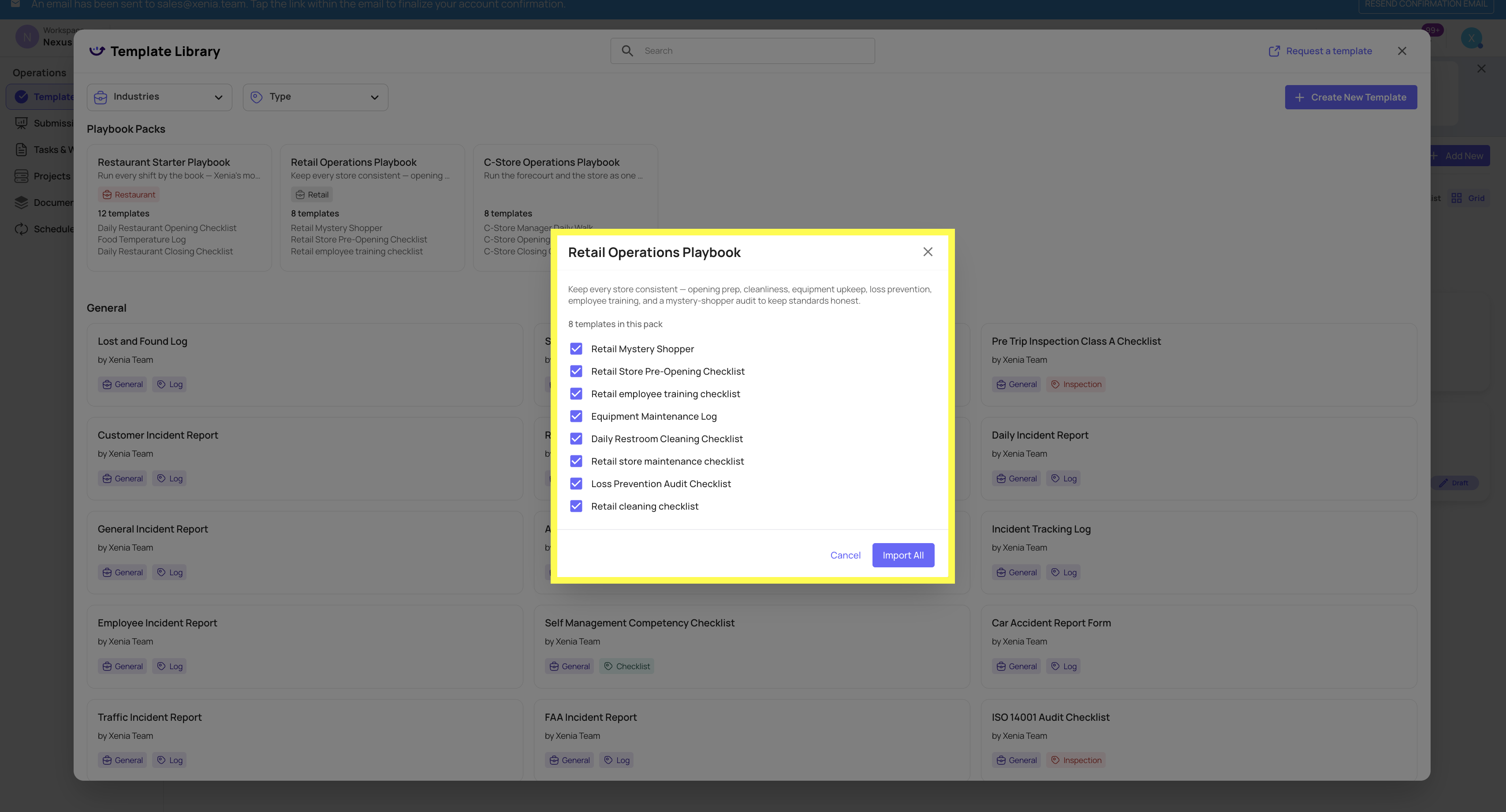
Playbook Packs are pre-built, industry-specific bundles of best-practice templates that drop into your workspace in one click. Instead of building your operational checklists from scratch, you start from a curated set of templates designed for your type of business — already structured, already named, already organized into a labeled folder.
Three starter packs are available today:
Restaurant Starter Playbook — 12 templates including Daily Restaurant Opening Checklist, Food Temperature Log, Daily Restaurant Closing Checklist, and more
Retail Operations Playbook — 8 templates including Retail Mystery Shopper, Retail Store Pre-Opening Checklist, Retail Employee Training Checklist, and more
C-Store Operations Playbook — 8 templates including C-Store Manager Daily Walk, C-Store Opening Checklist, C-Store Closing Checklist, and more

How to Access Playbook Packs
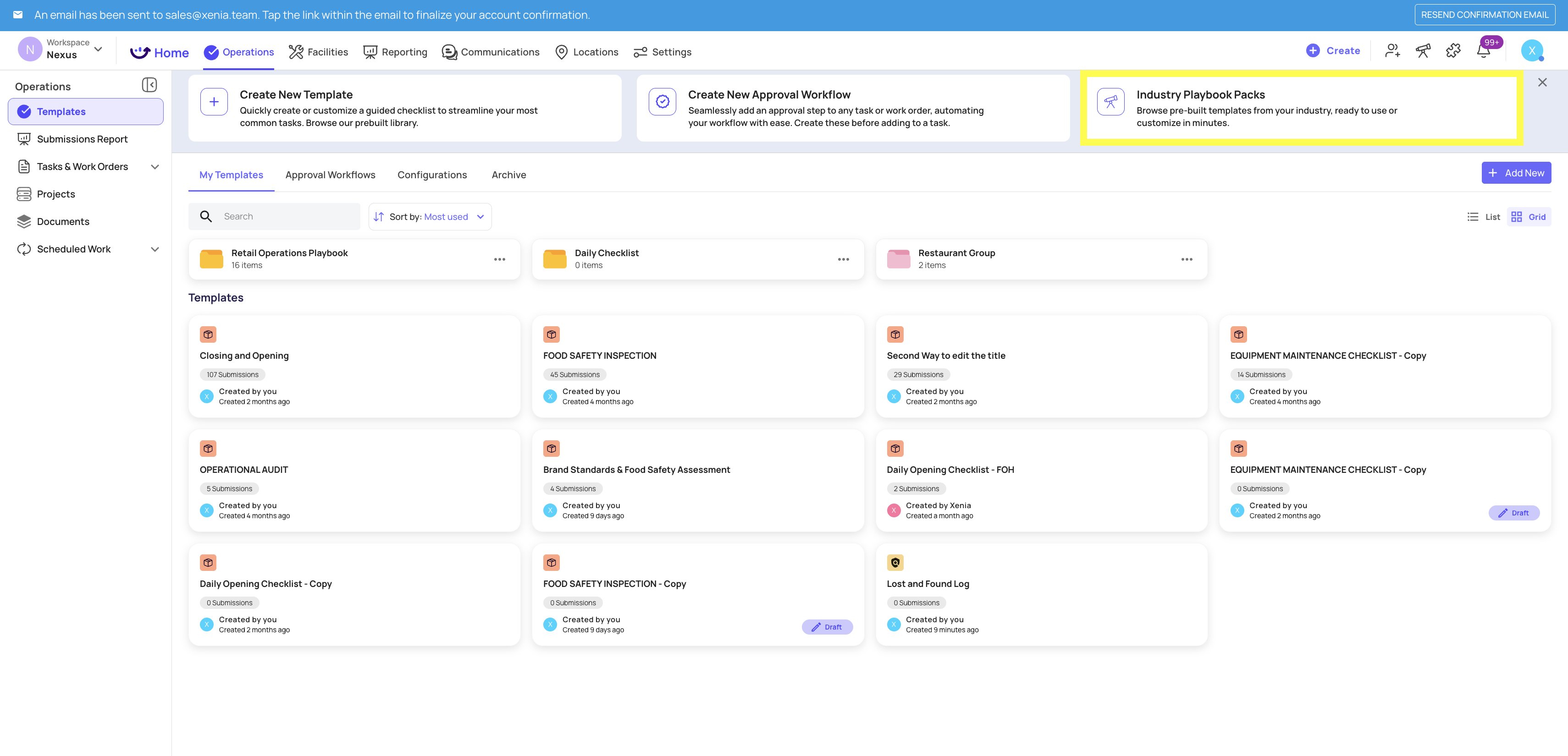
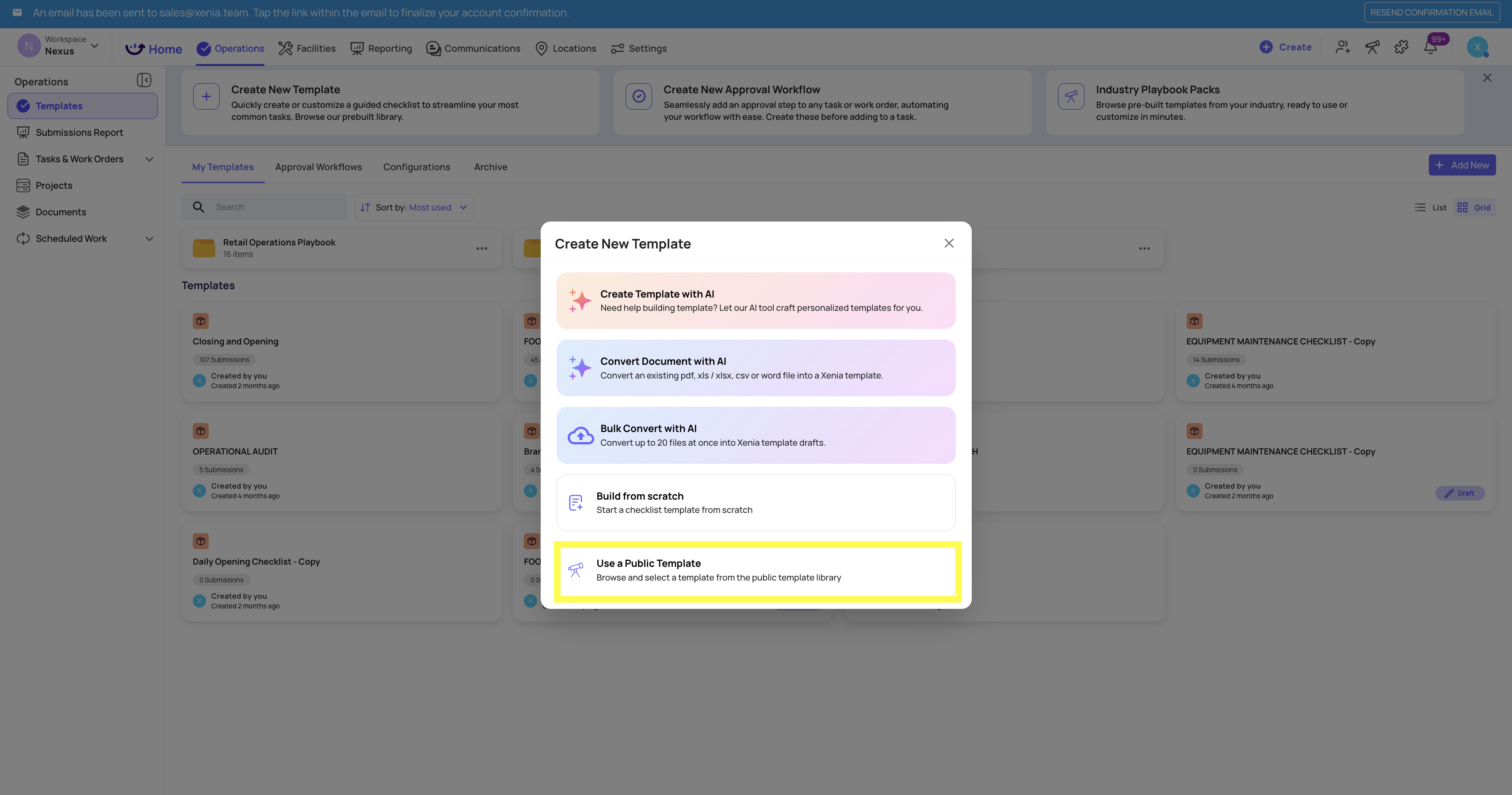
Go to Operations → Templates
Click + Add New or open the Template Library
At the top of the Template Library, look for the Playbook Packs section
Browse the three available packs — each card shows the pack name, industry tag, template count, and a preview of included templates
Click the pack that matches your operation
Confirm — the full set of templates is added to your workspace instantly, organized in a labeled folder
What Happens After You Apply a Pack
A labeled folder appears in your Templates list with all pack templates inside
Every template is fully editable — add steps, remove steps, rename, adjust settings, publish or keep as drafts
Templates are starting points, not locked configurations — customize them to match your specific operation
You can apply more than one pack if you run multiple concepts in the same workspace
Who Should Use Playbook Packs
Playbook Packs are most valuable when:
You're setting up a new workspace and want to get operational templates live quickly
You're onboarding a new concept or brand into an existing workspace
You want a best-practice baseline to review and customize, rather than starting from a blank template
If you already have templates built and published, Playbook Packs add templates alongside your existing ones — they don't replace or modify what's already there.
Need Help?
Reach out to our Support Team at Support@xenia.team