
How Vendor Routing Fits Into the Existing Routing Rules Engine
Vendor-based routing is an extension of the existing Routing Rules you may already use for internal assignment. The structure is the same: IF [conditions] THEN [assign to / notify]. The new capability is that the "assign to" target can now be an External Vendor from your Contact Book — alongside the existing options of user, team, or role.
Work Requests vs. Work Orders — The Right Starting Point
Work Order Request = what employees submit when they report an issue. Requests land in an inbox for review. They can be accepted manually or accepted automatically by a Routing Rule.
Work Order = the formal tracked work item that gets assigned and completed. Work Orders are created when a Request is accepted (manually or via rule).
Both support vendor routing. You can build a routing rule that fires on Work Request creation OR Work Order creation. A Work Request routed externally can still carry an internal assignee — so the work is tracked inside Xenia while the vendor is notified externally.
Building a Vendor-Based Routing Rule
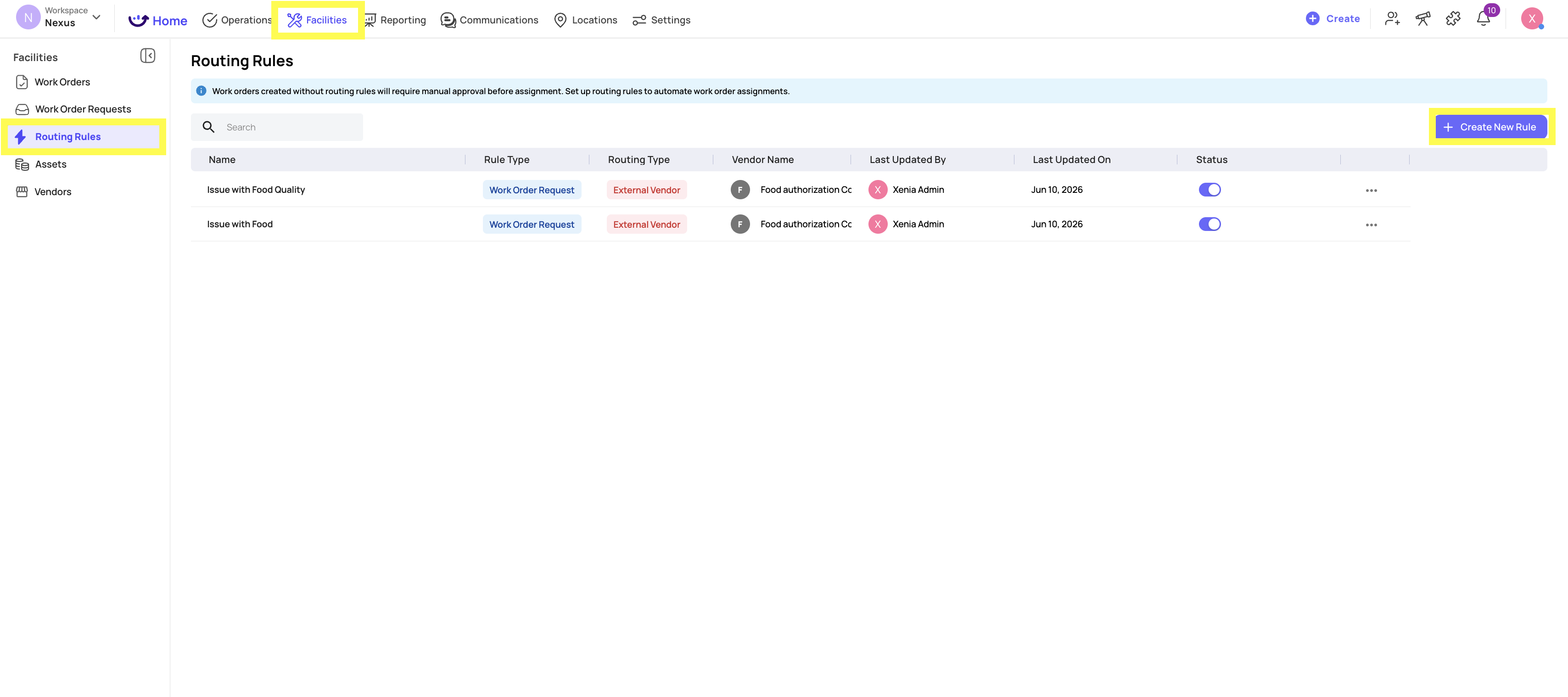
- Go to Facilities → Routing Rules
- Click + Create Rule
 The Trigger
Select what type of event triggers this rule:
- Work Order — fires when a Work Order is created (directly or via accepted request)
- Work Order Request — fires when a request is submitted
For most vendor routing, Work Order Request Created is the right trigger — it fires at the moment of reporting, ensuring the fastest possible vendor notification.
Step 1 — Set the Conditions (IF)
Available conditions:
- Category — the issue type (HVAC, Plumbing, Refrigeration, Pest Control, etc.)
- Location — which store the request came from (can be combined with category)
- Priority — the urgency level selected in the request
Conditions use AND logic — all must be true for the rule to fire.
V1 confirmation: Category-only routing is the primary supported pattern (e.g., all HVAC requests → CoolAir Services). Location + Category combinations are also supported for more granular routing.
Step 2 — Set the Internal Assignment (THEN — Assign To)
Every work order should have an internal owner even when a vendor is notified externally. Select:
Role (recommended for multi-location) — when Role is selected, Xenia uses the location from the request to find the right role member at that store. The Location selector disappears — this is correct.
Team — all team members receive the assignment.
User(s) — specific named individuals.
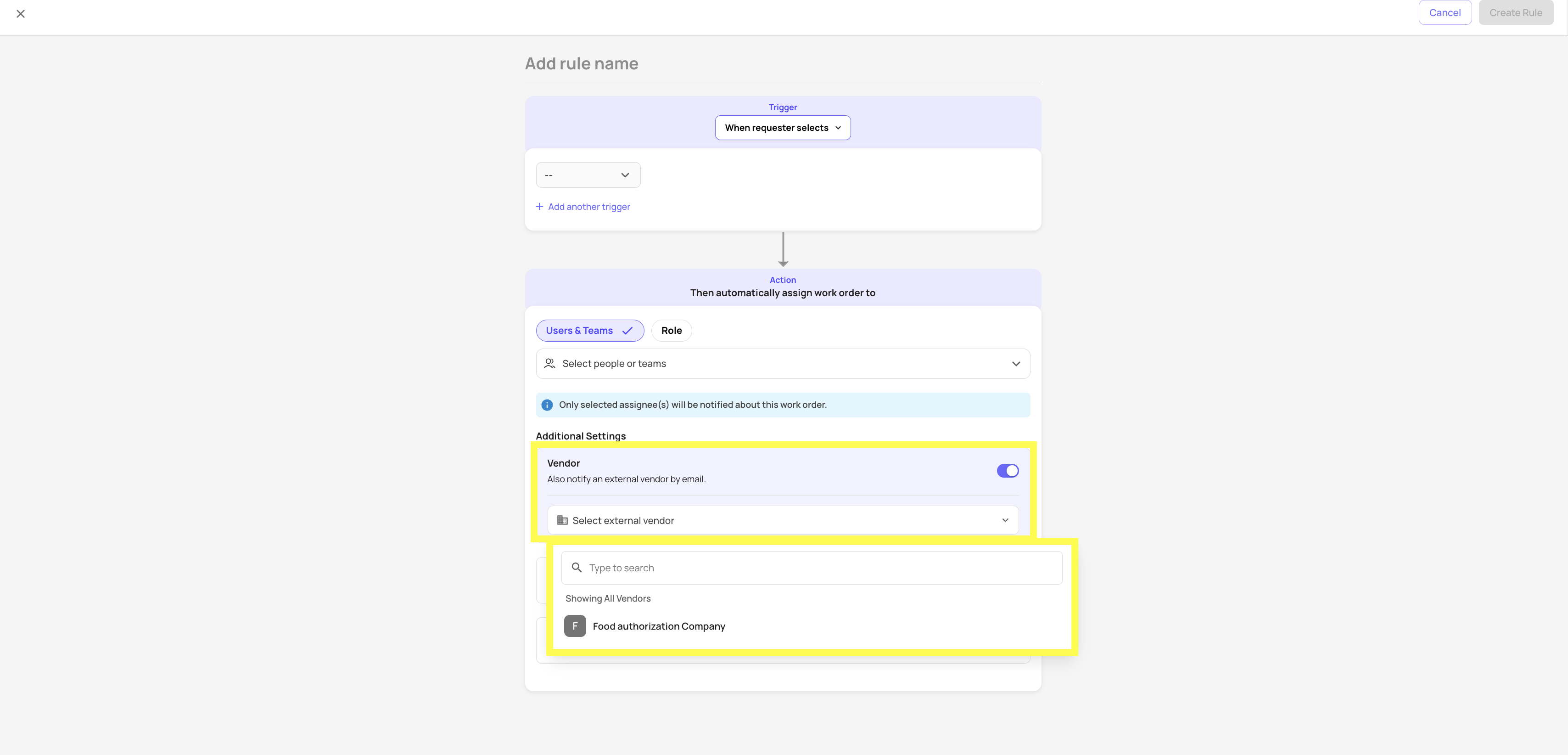
Step 3 — Add the External Vendor (NEW)
Below the internal assignment, find the External Vendor assignment target:
- Click Add External Vendor or select External Vendor from the assignment type options
- A dropdown appears showing your Vendor Contact Book
- Select the vendor (e.g., CoolAir Services)
 Step 4 — Configure Watchers
Watchers are internal users, roles, or teams who are cc'd on the vendor email thread — they receive the same email as the vendor and see all replies in the thread.
Add any coordinator, operations manager, or facilities director who needs visibility on vendor communications for this category.
Step 5 — Set Relative Due Date (Optional)
Set how long after work order creation the assignment should be due. HVAC issues might be "due in 4 hours." Routine pest control might be "due in 3 business days."
Step 6 — Save the Rule
Click Save Rule. The rule is live for all future matching requests. Existing requests are not retroactively affected.
Practical Rule Examples
| Rule Name | Trigger | Category | Internal | External Vendor |
|---|---|---|---|---|
| HVAC/Refrigeration → CoolAir | WO Request Created | HVAC/Refrigeration | Maintenance role | CoolAir Services |
| Plumbing → Miami Plumber | WO Request Created | Plumbing | Maintenance role | ABC Plumbing Miami |
| Critical Issues → Emergency | WO Request Created | Any + Priority Critical | Maintenance role | Emergency Contractors |
| Pest Control → NE Region | WO Request Created | Pest Control | Facilities Manager role | NE Pest Control Co. |
When Routing Rules Are the Right Choice
Routing rules work best when the vendor assignment is always predictable based on category. Use them for:
- Recurring maintenance categories where one vendor always handles that type
- Lower-urgency repairs where email notification and a response window are acceptable
- High-volume categories where manual forwarding is creating a bottleneck
For time-sensitive or multi-vendor scenarios, you may still want to manually review requests and decide which vendor to involve. The routing rule handles the clear-cut cases; manual review handles the judgment calls.
Reach out to our Support Team at Support@xenia.team
Comments
0 comments
Please sign in to leave a comment.