
1. What Documents Are
The Documents section is a library of reference materials your organization has stored in Xenia — SOPs, procedure guides, equipment manuals, recipe bibles, training materials, and anything else you might need to look up during your shift. Think of it as the digital version of the binder in the back office, available on your phone.
2. Where to Find Documents
Documents are accessible from the Comms tab or from a dedicated Documents section depending on your workspace configuration. Look for:
- A Docs option in the Comms tab
- A Documents item in your side menu
- A Documents tab in your bottom navigation (if your admin added it)
If you don't see Documents anywhere in the app, your role may not have access — contact your manager.
3. Finding the Document You Need
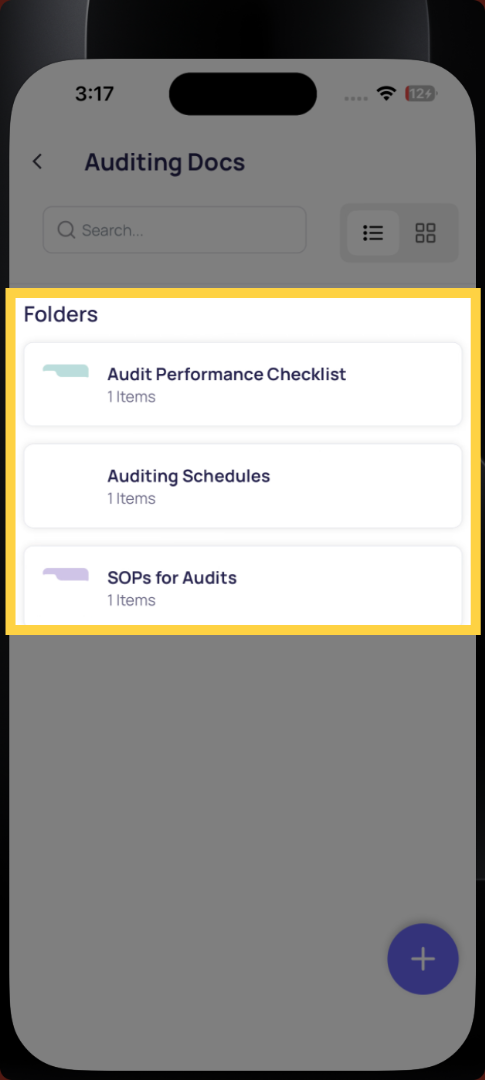
Documents are organized in folders — Daily Operations, Food Safety, HR, Equipment Manuals, etc. Tap a folder to see what's inside.
Use the search bar at the top to search by document name if you know what you're looking for.
Opening a Document
Tap any document to open it. PDFs open in a built-in viewer — you can scroll, zoom, and read within the app. Images open in full screen. Some document types may download to your device for offline access.
If a Document Isn't There
If you can't find a document you need, it may not have been added to the library yet, or your role may not have access to that folder. Contact your manager — they can add it or adjust your access.
Reach out to our Support Team at Support@xenia.team
Comments
0 comments
Please sign in to leave a comment.