
1. The Simple Difference
A Task is an operational assignment — a daily checklist, a one-off action, a procedure your role needs to complete. Tasks come from your manager or from a scheduled project. They're about running the operation.
A Work Order is a maintenance or facilities assignment — a repair, an equipment issue, an inspection that's been formally logged. Work Orders come from submitted Work Requests or are created directly by a facilities coordinator. They're about fixing or maintaining things.
Same app, different tab, different purpose.
2. How They're Separated in the App
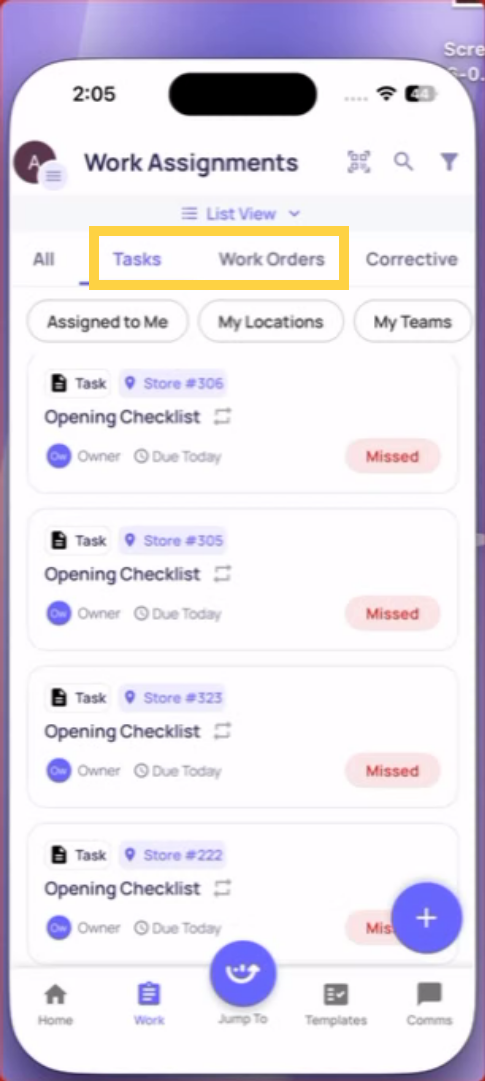
In the Work tab at the bottom of the screen, you'll see sub-tabs:
- Tasks — shows only task-type items
- Work Orders — shows only work order items
- Corrective — shows corrective action items generated from checklist failures
- All — shows everything together
Work Orders also appear in the Facilities section if your role has access to it.
3. What a Work Order Shows
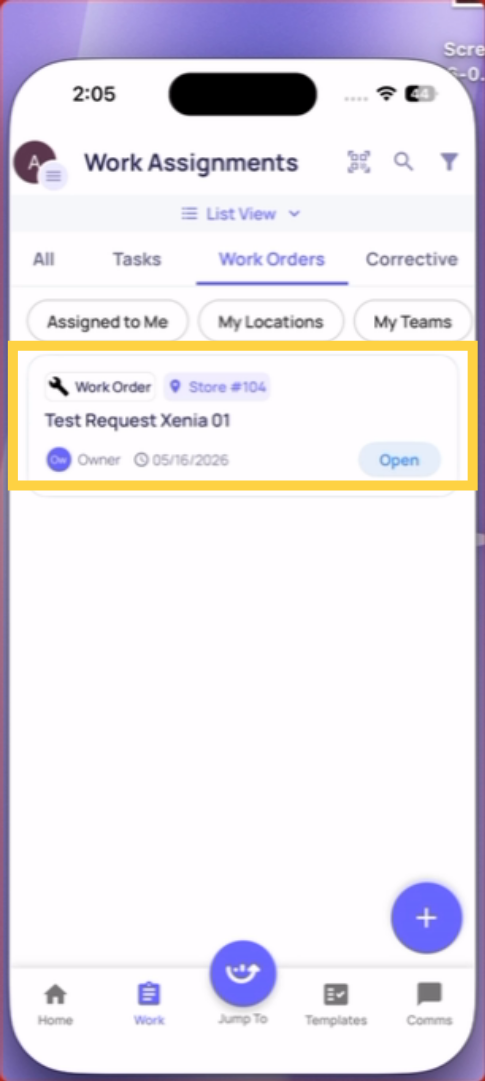
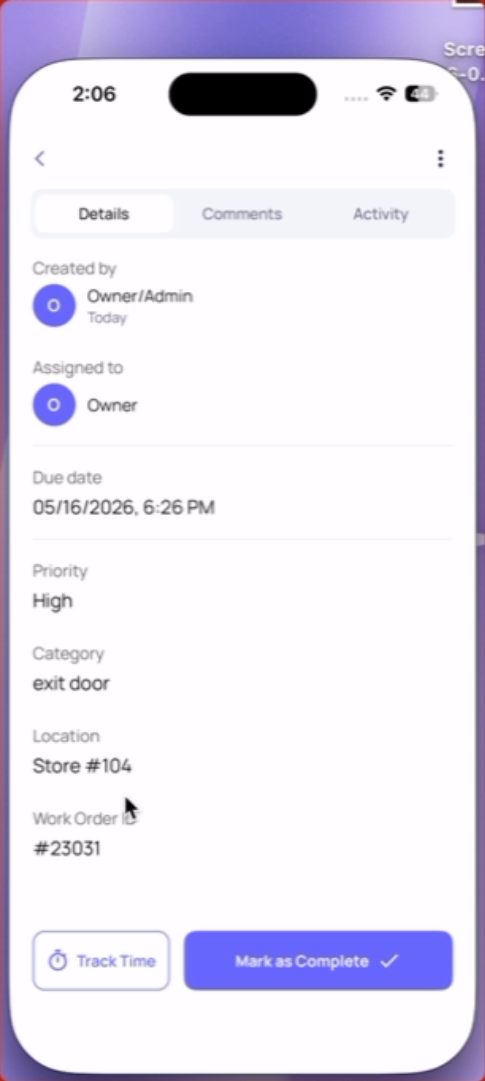
Each Work Order card shows:
- Work Order ID
- Title and description of the issue
- Location (which store or facility)
- Assignee
- Due date (if set)
- Current status (Open, In Progress, On Hold, Completed)
4. When You'll See Work Orders
Not all roles see Work Orders. If you don't see a Work Orders tab in your Work section, your role doesn't have facilities access. Work Orders are typically visible to:
- Maintenance technicians
- Facilities managers
- Store managers (depending on workspace configuration)
Need Help?
Reach out to our Support Team at Support@xenia.team
Comments
0 comments
Please sign in to leave a comment.