
1. Why the Camera Roll Is Blocked
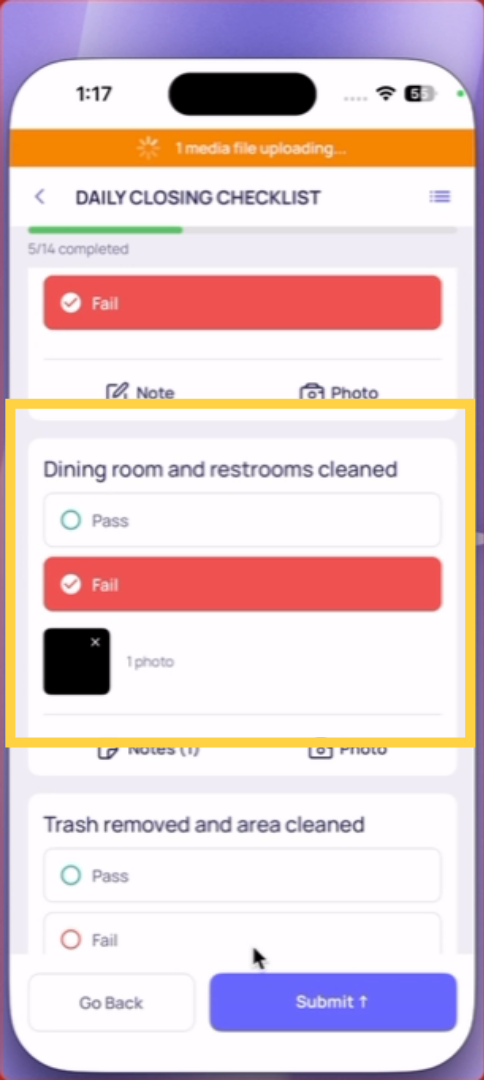
When Xenia requires a photo on a checklist step, it opens the device's camera directly. You cannot browse your camera roll or upload a saved photo. This is a deliberate design decision, not a technical limitation.
The reason: accountability.
A photo from your camera roll could have been taken yesterday, last week, or at a completely different location. It can't be verified as showing the current state of the area being checked. A photo taken live through the app — at the moment of the checklist step — can.
2. What the Timestamp Proves
Every photo taken through the Xenia app is timestamped at the moment it's captured. The submission record shows:
- When each step was answered
- When each photo was taken
If a manager reviews a submission and sees that the 6am opening checklist photos all have 11am timestamps — that tells a clear story. The live photo requirement and timestamping together make submissions a reliable operational record rather than a form-filling exercise.
What to Do If You Already Have Photos from Your Camera
If you took photos on your device camera before starting the checklist — you'll need to take new ones through the app when you reach the relevant steps. Position yourself in the same spot and retake them. The live requirement applies to every photo step, every time.
For Managers: Why This Matters
The camera roll restriction is what makes photo evidence in Xenia meaningful. Without it, a employee could attach a photo of a clean bathroom taken months ago to every bathroom check submission. With it, every photo is a real-time record of actual conditions — exactly what compliance, quality, and safety records require.
This article explains the importance of taking live photos within the Xenia app and how each photo is timestamped to ensure verifiable submissions. For more information, see related articles on photo submission guidelines and checklist procedures.
Need Help?
Reach out to our Support Team at Support@xenia.team
Comments
0 comments
Please sign in to leave a comment.