
1. What the My Work Inbox Is
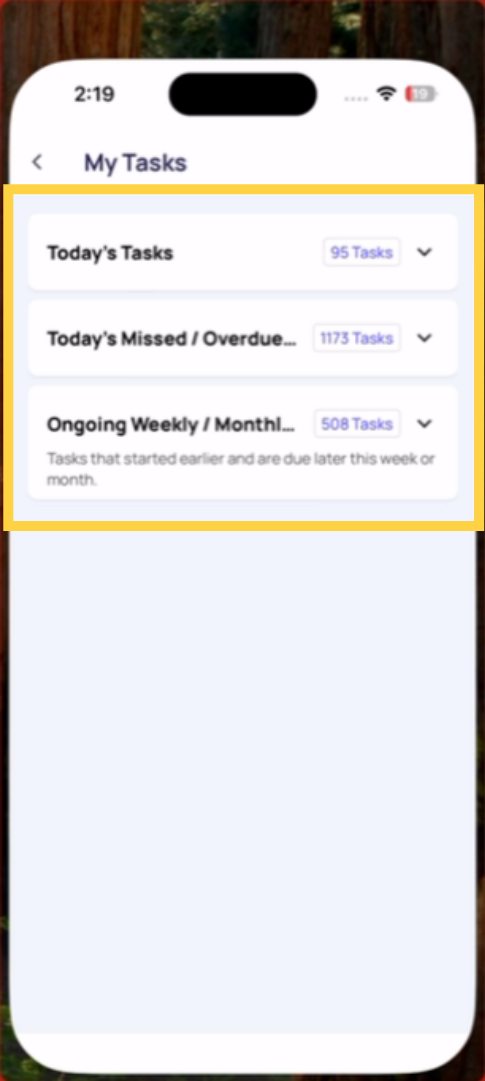
The My Work inbox is a Gmail-style view of all your assigned work, broken into three clear sections so you can immediately see what needs your attention — today, what was missed, and what's coming up.
Access it from the side menu (tap your profile icon top left → My Work) or from your home screen depending on your workspace configuration.
The inbox breaks your work into three buckets:
Due Today: Everything assigned to you that is due today — tasks that have been generated by a project and are scheduled for completion during today's window. This is your shift's primary focus. Work from the top down.
Missed: Tasks that were due on a previous day and were not completed. These are past-due items that are either still completable (if Mark as Missed is off) or locked (if Mark as Missed is on). If you see items here, contact your manager.
Ongoing (Weekly / Monthly): Tasks that are due later this week or this month — not today's priority, but visible so you can plan ahead. Weekly deep clean due Friday, monthly audit due in two weeks. These appear here so you have the longer-term picture alongside today's immediate work.
Why This View Exists
The home screen (Location Pulse) shows today's view. The Work tab shows everything in a flat list. The My Work inbox combines both — what's due right now AND what's coming — in a single organized view that doesn't require scrolling through everything at once.
2. How to Use It Every Shift
- Open My Work at the start of your shift
- Check Missed first — anything here needs to be addressed immediately or escalated
- Work through Due Today — complete tasks in priority order (overdue first, then by due time)
Review Ongoing briefly — be aware of anything due later this week that needs preparation
Need Help?
Reach out to our Support Team at Support@xenia.team
Comments
0 comments
Please sign in to leave a comment.