
1. What a Relative Due Date Is
When a workflow fires and creates a corrective task, a relative due date sets how much time the assignee has to complete the task — measured from the moment the task is created, not from a fixed calendar date.
The clock starts at task creation, which happens at the moment of submission when the workflow trigger fires.
Example: A workflow fires at 10:00am when a temperature reading is out of range. The corrective task is created at 10:00am. A relative due date of "4 hours" means the task is due at 2:00pm.
If no relative due date is configured, the task has no deadline. It appears in the task board without a due date, won't trigger overdue notifications, won't show as overdue or missed in reporting, and may sit unresolved indefinitely. For any issue with a meaningful resolution expectation, always set a relative due date.
2. The Available Time Units
Relative due dates can be set in:
Minutes — Due time is calculated precisely from the moment of task creation. A 30-minute due date created at 10:15am means the task is due at 10:45am. Use for urgent safety or operational issues that must be resolved within the same shift.
Hours — Due time is calculated precisely from task creation. 4 hours from 10:00am = 2:00pm. Most common for same-day operational issues where the resolution window is measured in working hours.
Days — Due time is set to 11:59pm on the day the due date falls. A 2-day relative due date created on Tuesday results in a due time of 11:59pm on Thursday — giving the full two calendar days regardless of what time on Tuesday the task was created. Use for issues that need attention within a few business days but not necessarily within hours.
Weeks — Due time is 11:59pm at the end of the week count. A 1-week due date gives until 11:59pm seven calendar days from creation. Use for non-urgent maintenance or follow-up tasks.
Months — Due time is 11:59pm at the end of the month count. Use for periodic review tasks or long-cycle compliance actions.
Important note on Days/Weeks/Months: Because these are set to 11:59pm on the target day, a task created at 9:00am with a 1-day due date is due at 11:59pm that same calendar day — not 24 hours later. If you need a precise 24-hour window, use 24 hours rather than 1 day.
3. Setup Relative Due Date
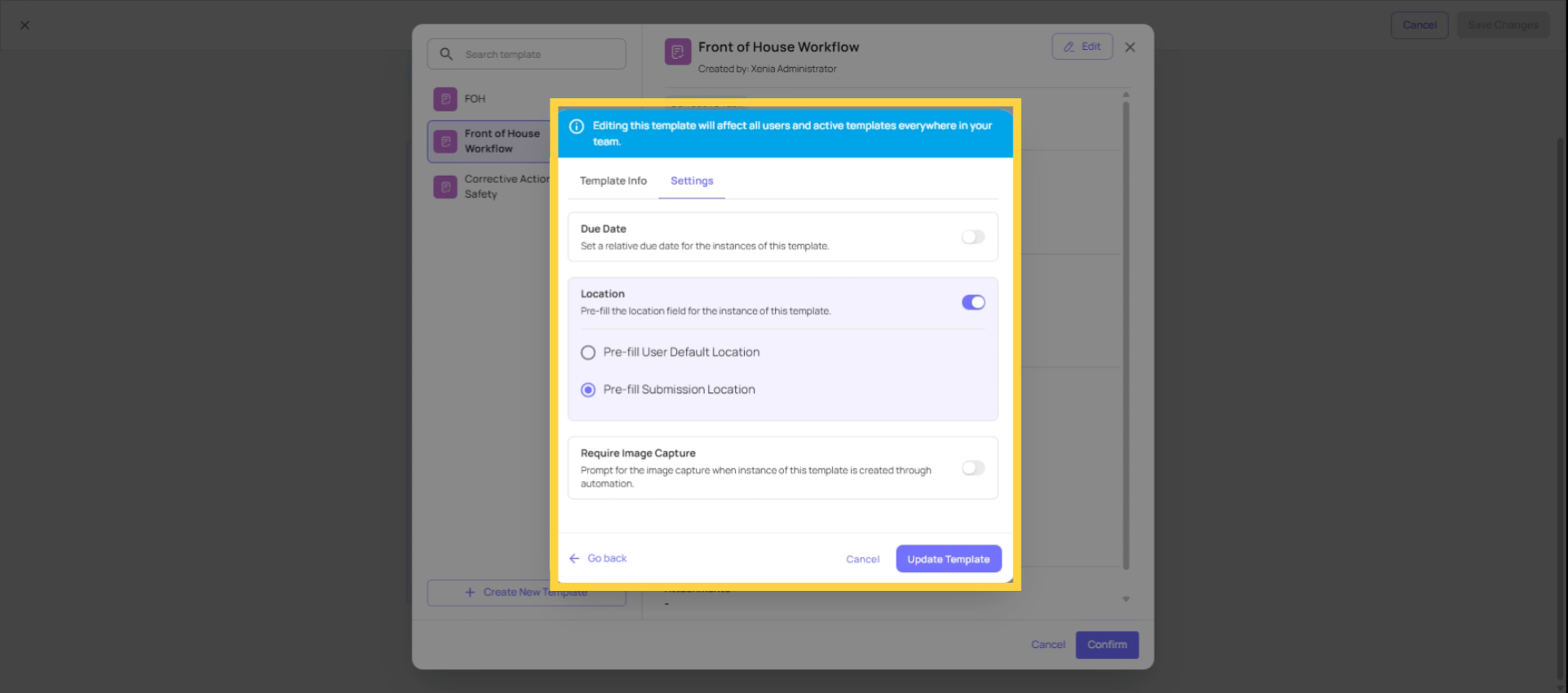
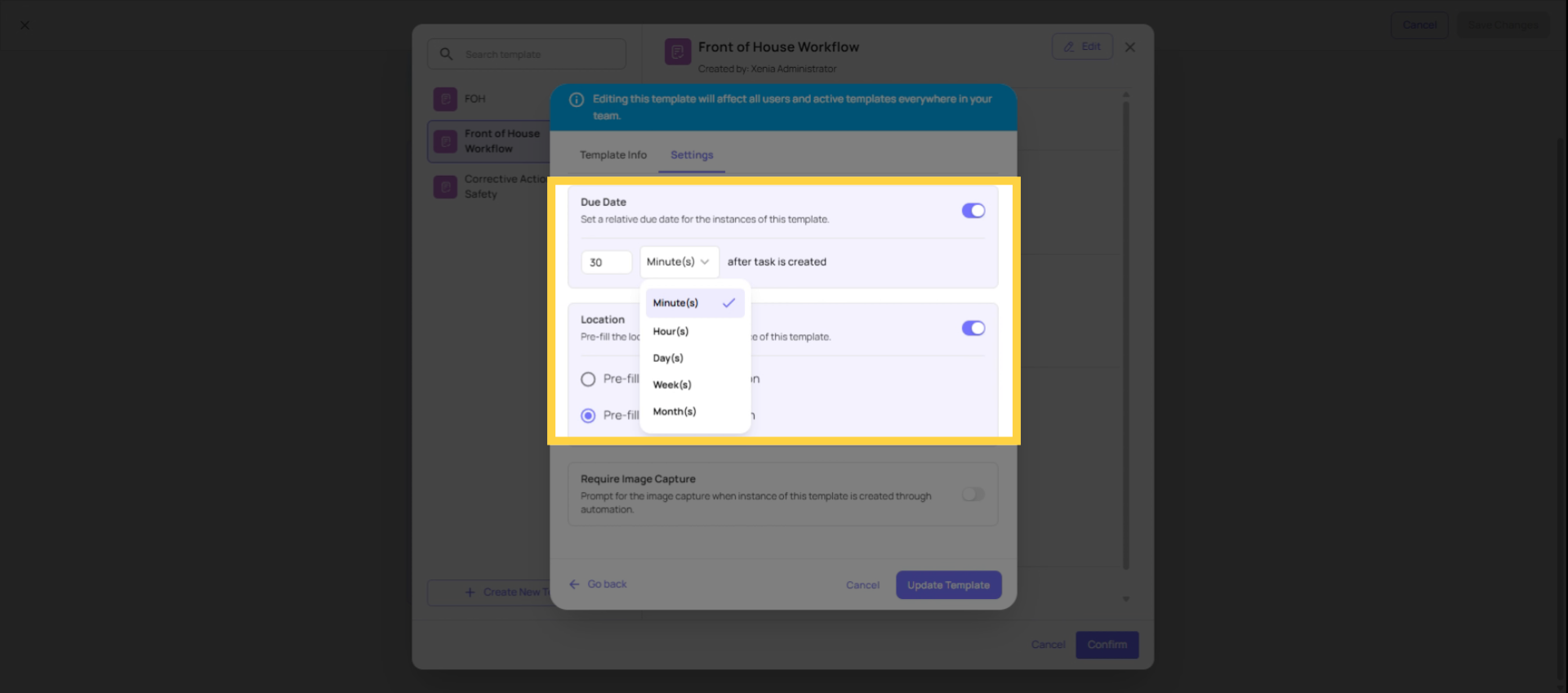
Choosing the Right Window
The right relative due date reflects the real operational urgency of the issue — not a default or a wish. A window that's too short creates pressure on the receiving team for issues that genuinely take time. A window that's too long provides no meaningful accountability.
| Issue Type | Suggested Window | Rationale |
| Food safety temperature violation | 1–4 hours | Must be resolved within the same service period |
| Robbery or security emergency | 15–30 minutes | Immediate escalation required |
| Equipment outage affecting service | 2–4 hours | Needs resolution before impacting guests |
| Vendor delivery problem | 24 hours | Same-day resolution expected, allows scheduling |
| Non-urgent maintenance request | 2–3 days | Can be scheduled, not an immediate blocker |
| Monthly compliance follow-up | 1–2 weeks | Long cycle, allows proper scheduling |
Need Help?
Reach out to our Support Team at Support@xenia.team
Comments
0 comments
Please sign in to leave a comment.