
1. Understand Project Assignment Options
1. The Core Question
When you create a project, one of the most important decisions is how to assign it: by role or by user. This choice determines how many tasks get created, who sees them, and how much maintenance you'll carry when your team changes.
The simplest way to frame the decision:
- Role-based — the task belongs to a position. Anyone in that role at that location can complete it. Personnel changes don't affect the project.
- User-based — the task belongs to a specific person. If that person leaves, the project needs updating.
For most multi-location operations, role-based is the right default. User-based is for specific scenarios where individual accountability is the point.
2. Set Up Role-Based Assignment
2. Role-Based Assignment — How It Works
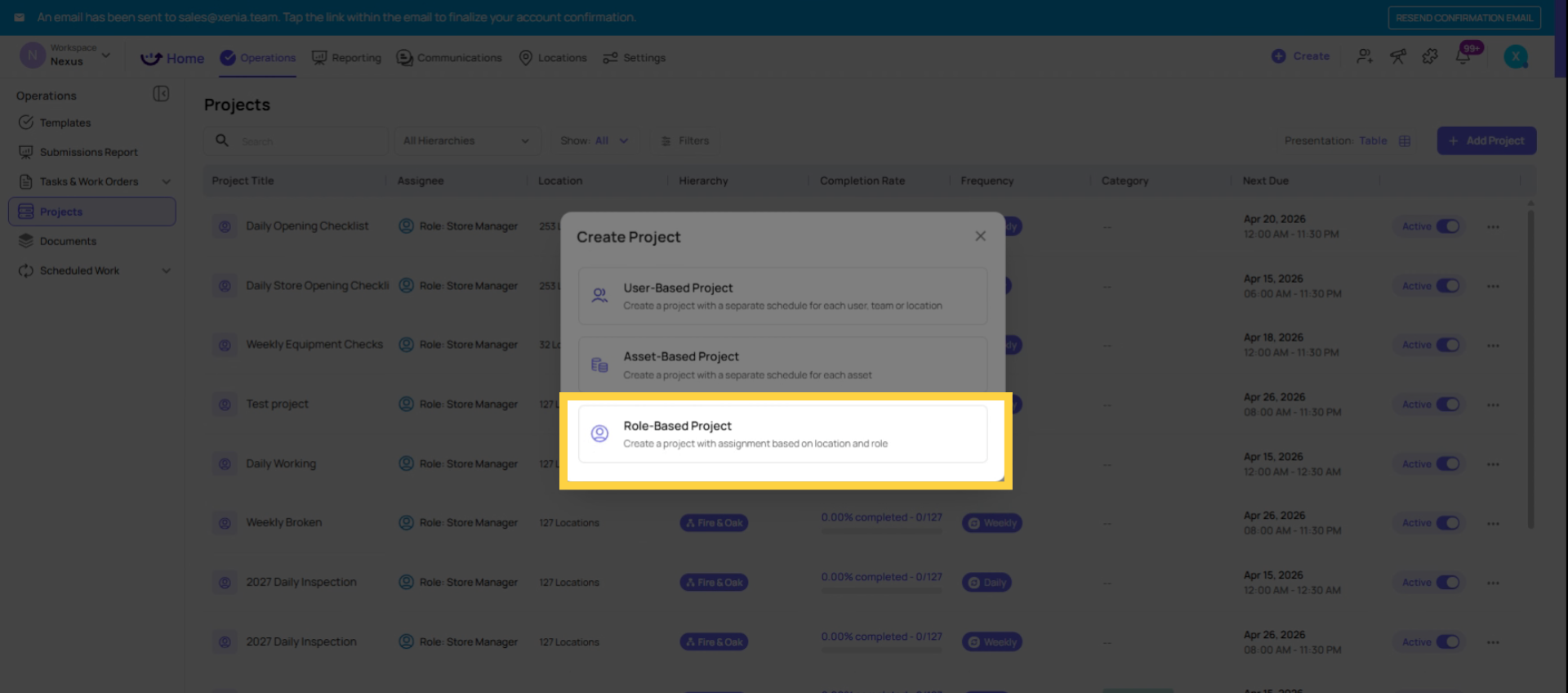
When you choose role-based assignment, you select a role (e.g., Store Manager) and a set of locations. Xenia then determines how many tasks to create based on one of two sub-modes:
Site-based (one task per location):
- Xenia counts the number of selected locations
- One task is created per location, regardless of how many people in that role work there
- Any qualified role member at that location can complete the task
- Example: You select the Cook role across 15 stores. 15 tasks are created — one per store. If Store 5 has 3 cooks, they all see the task and any one of them can complete it.
User-based within a role (one task per person):
- Xenia counts the number of individual users in that role at the selected locations
- One task is created per person
- Each person's task is tagged to their default location
- Example: You select the Cook role across 15 stores. If there are 22 cooks total across those stores, 22 tasks are created — one per cook.
The staff-turnover advantage of role-based: When someone leaves and a new person joins the same role at the same location, nothing changes in the project. The new person in that role automatically receives the tasks. No project editing, no recreating assignments. The project runs indefinitely.
3. User-Based Assignment
3. User-Based Assignment — How It Works
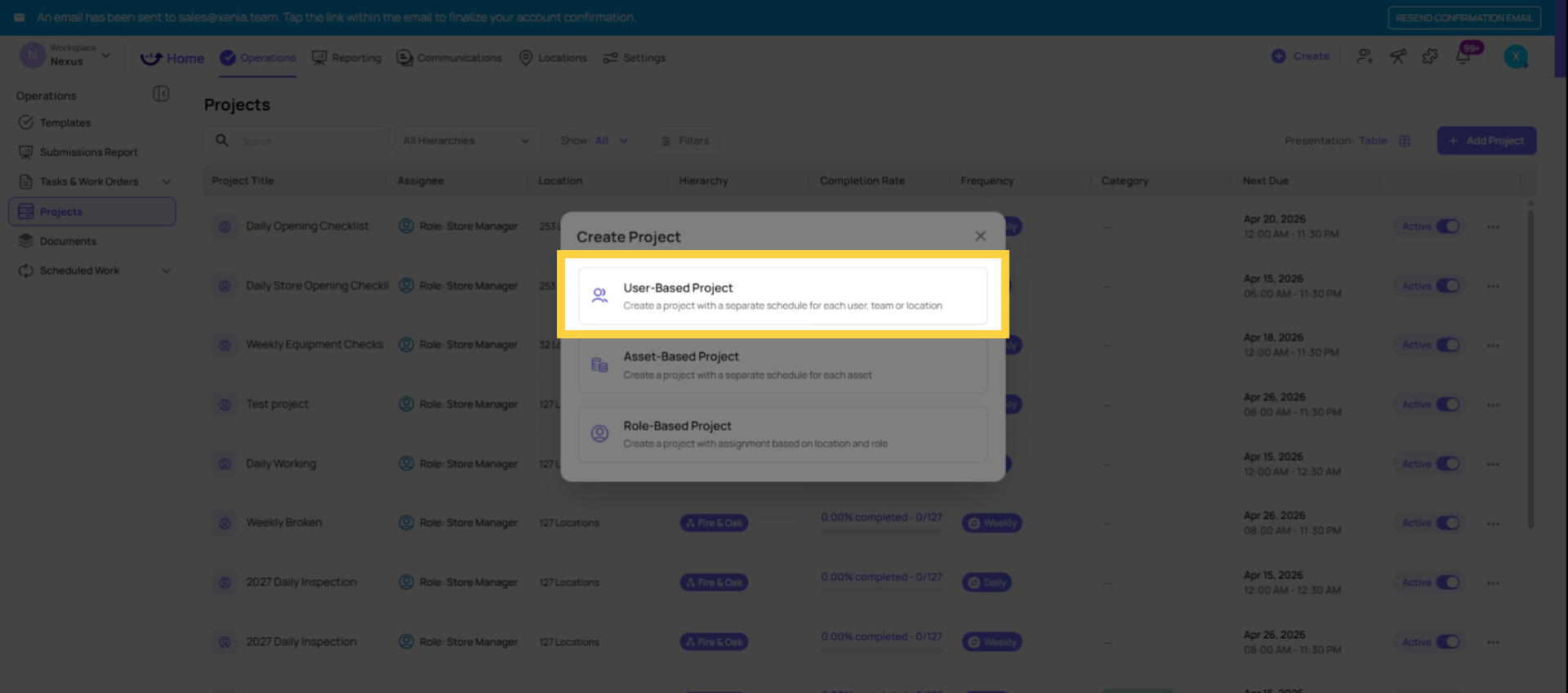
When you choose user-based assignment, you select specific named users (or teams). One task is created per selected user, tagged to each user's default location.
When staff changes:
- If a user is removed from the project, their schedule is paused
- If a new person needs to be added, they must be manually added to the project
- This requires ongoing maintenance as your team changes
When user-based makes sense:
- You need a task tied to a specific named individual, not a role
- Accountability requires knowing exactly which person completed a task
- The task is a personal assignment that can't be transferred to any other team member (e.g., a manager's specific weekly report)
- Your team is small and stable enough that turnover maintenance isn't burdensome
4. The Decision Table
| Factor | Use Role-Based | Use User-Based |
| Staff turnover | High — roles absorb turnover automatically | Low — stable team with rare changes |
| Accountability | Position-level sufficient ("the store did it") | Individual-level required ("John specifically did it") |
| Scale | Multi-location, 5+ stores | Single location or small team |
| Task type | Daily operational checklists, recurring procedures | Personal reports, individual sign-offs |
| Admin maintenance | Minimal — project runs without changes | Ongoing — update when people join or leave |
This article explains the differences between role-based and user-based project assignments in Xenio, helping you choose the best method for your team structure. For more information, see related articles on task management and team organization.
Need Help?
Reach out to our Support Team at Support@xenia.team
Comments
0 comments
Please sign in to leave a comment.