
1. Understand Templates And Projects
If there is one concept that causes more implementation confusion than anything else in Xenia, it's the difference between Templates and Projects. Neil explains it in nearly every customer call. It comes up again and again because the two words feel similar but represent completely different things.
Here is the simplest version:
Template = the checklist itself (what questions get asked, what responses get recorded)
Project = what deploys the checklist to your team (who gets it, when, on what schedule, at which locations)
You always need both. A template without a project just sits in your library — no one gets assigned it. A project without a template has no content — nothing for the assignee to complete. They work together. The template is the content; the project is the delivery mechanism.
2. View Templates As Filing Cabinet
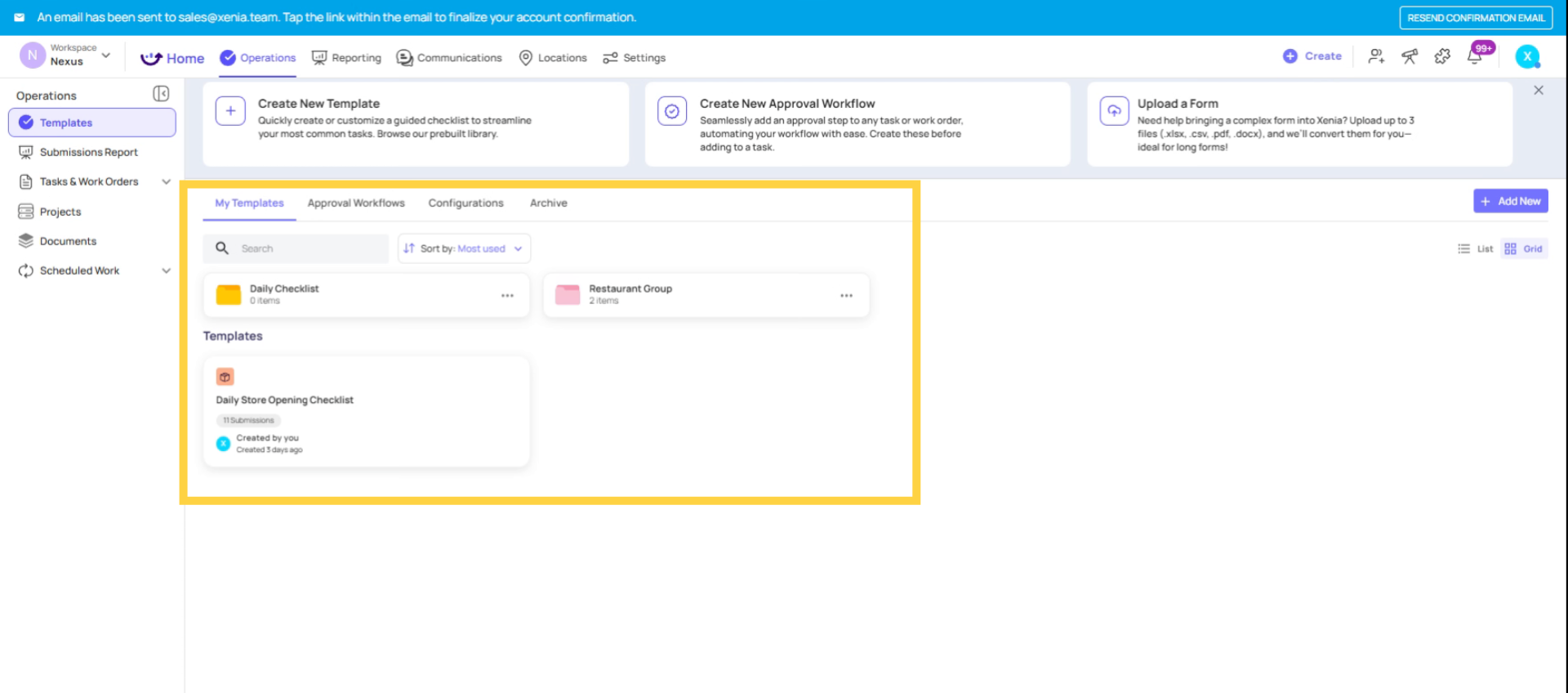
3. Understand Projects As Running Engine
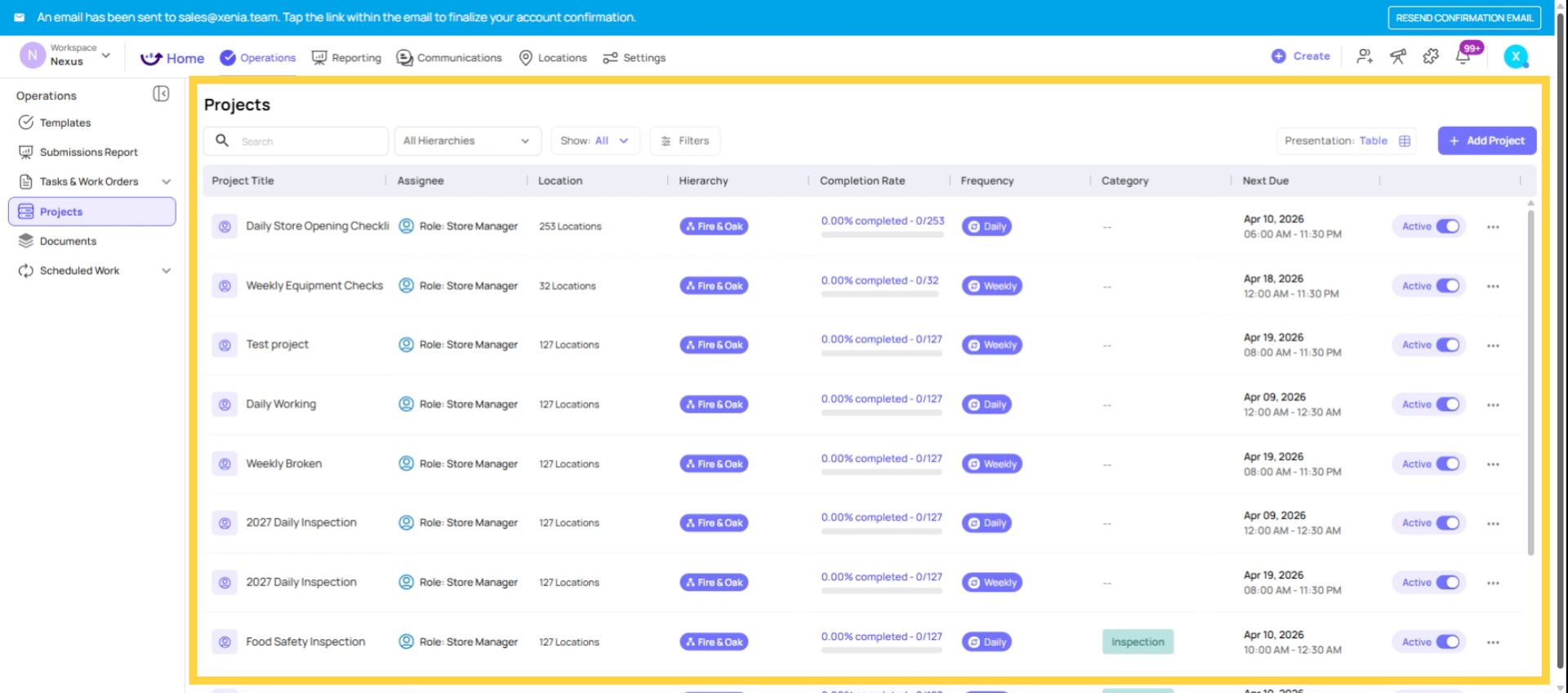
4. What a Template Is
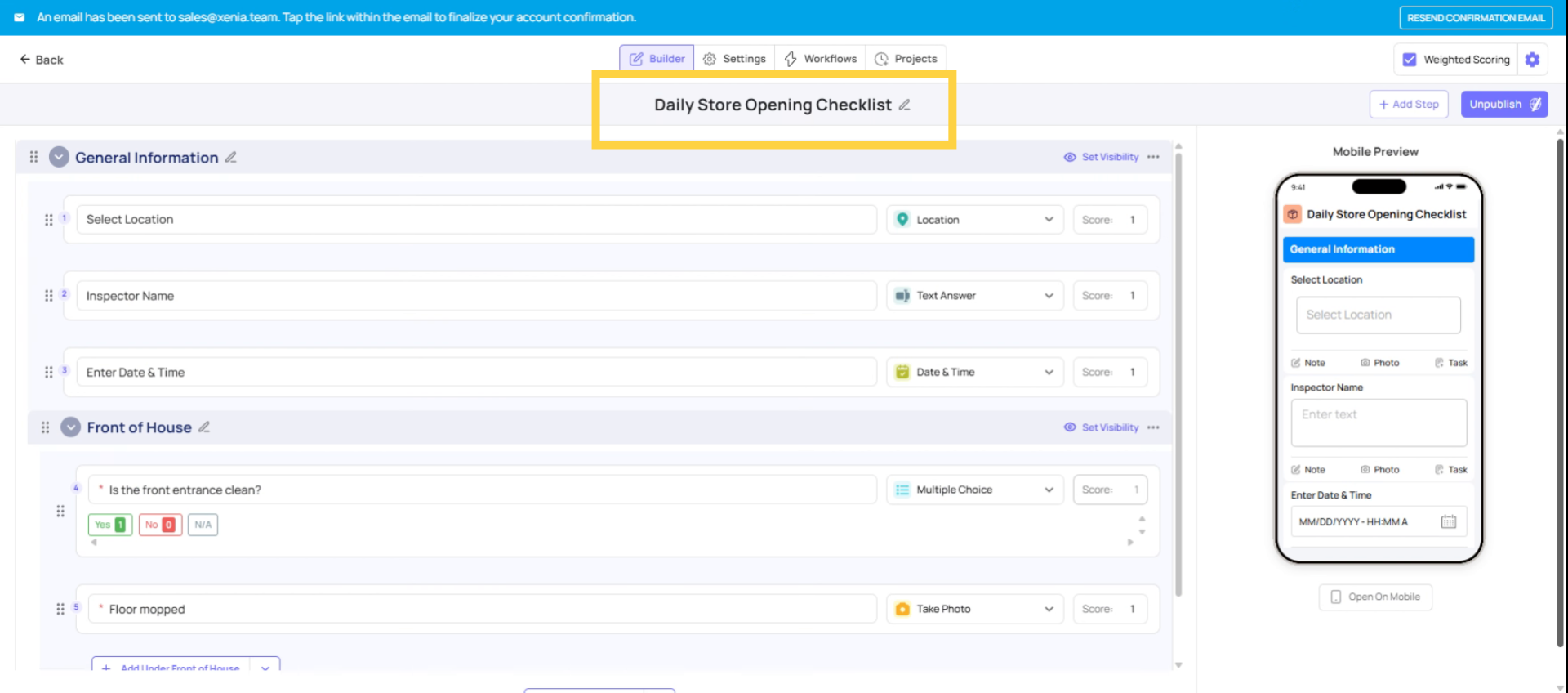
A Template in Xenia is the structure of a checklist or form — the questions, steps, sections, and response types. It defines:
- What questions get asked (yes/no, temperature, photo, text, signature, etc.)
- What sections the form is divided into
- What automations trigger based on answers (follow-up questions, photo requirements, corrective tasks)
- Who can submit it and who can view past submissions
- Whether it's scored and how
A template can be used over and over — the same structure gets filled out each time a submission is made. The template itself doesn't change; the responses to it do.
Templates live in Operations → Templates and are organized in folders.
5. What a Project Is
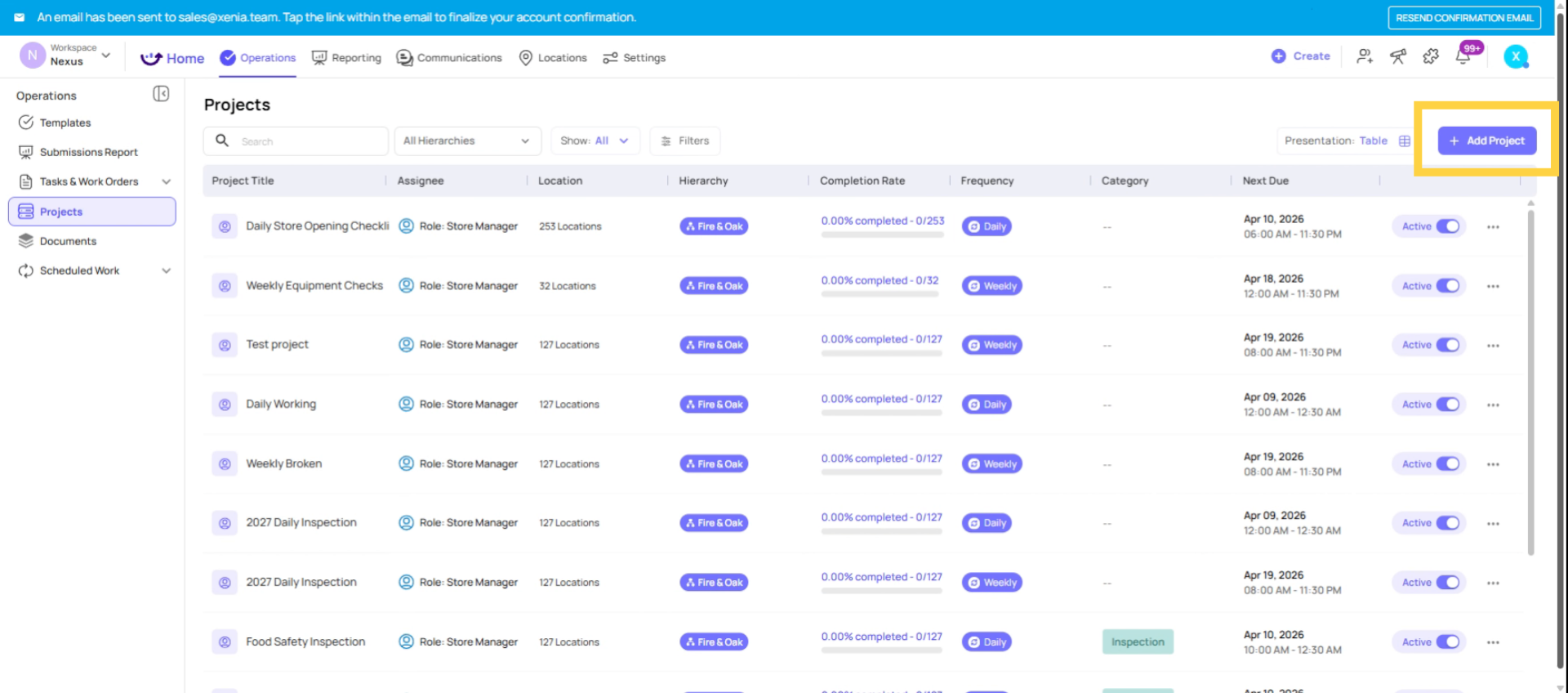
A Project in Xenia is the scheduling and deployment mechanism. It takes a template and makes it a recurring assignment for a specific role, at specific locations, on a defined schedule. It defines:
- Which template to deploy
- Who gets it (which role, or specific users)
- Where (which locations)
- When (what cadence — daily, weekly, monthly)
- At what time (start time, due time)
- What happens if it's missed (notifications, locked vs. overdue)
A project creates scheduled task instances that appear on users' devices at the configured time. The same project can deploy the same template to 50 stores every morning at 6am without any manual work.
Projects live in Operations → Projects.
6. Why You Need Both
| What you want | How it's built |
| "Complete this daily opening checklist every morning at Store 5" | Template (the checklist) + Project (daily schedule, Store 5, 6am start) |
| "Submit a vendor issue form whenever a problem occurs" | Template (the form) — no project needed, ad hoc mode |
| "Run a monthly food safety audit at all 20 locations" | Template (the audit form) + Project (monthly schedule, all 20 locations) |
| "Provide employees with an SOP reference document" | Template (the SOP content) — no project, just available for reference |
Need Help?
Reach out to our support team at Support@xenia.team
Comments
0 comments
Please sign in to leave a comment.