
This article explains how to configure task visibility settings in Xenia to ensure users see the appropriate tasks. You'll learn the differences between visibility options and how to assign them effectively for various roles.
Understand Task Visibility Settings
The task visibility setting in a role is the single most commonly misconfigured permission in Xenia, and it's responsible for the majority of "why can't my user see X" support questions. Understanding the three options — and being deliberate about which one each role gets — is essential.
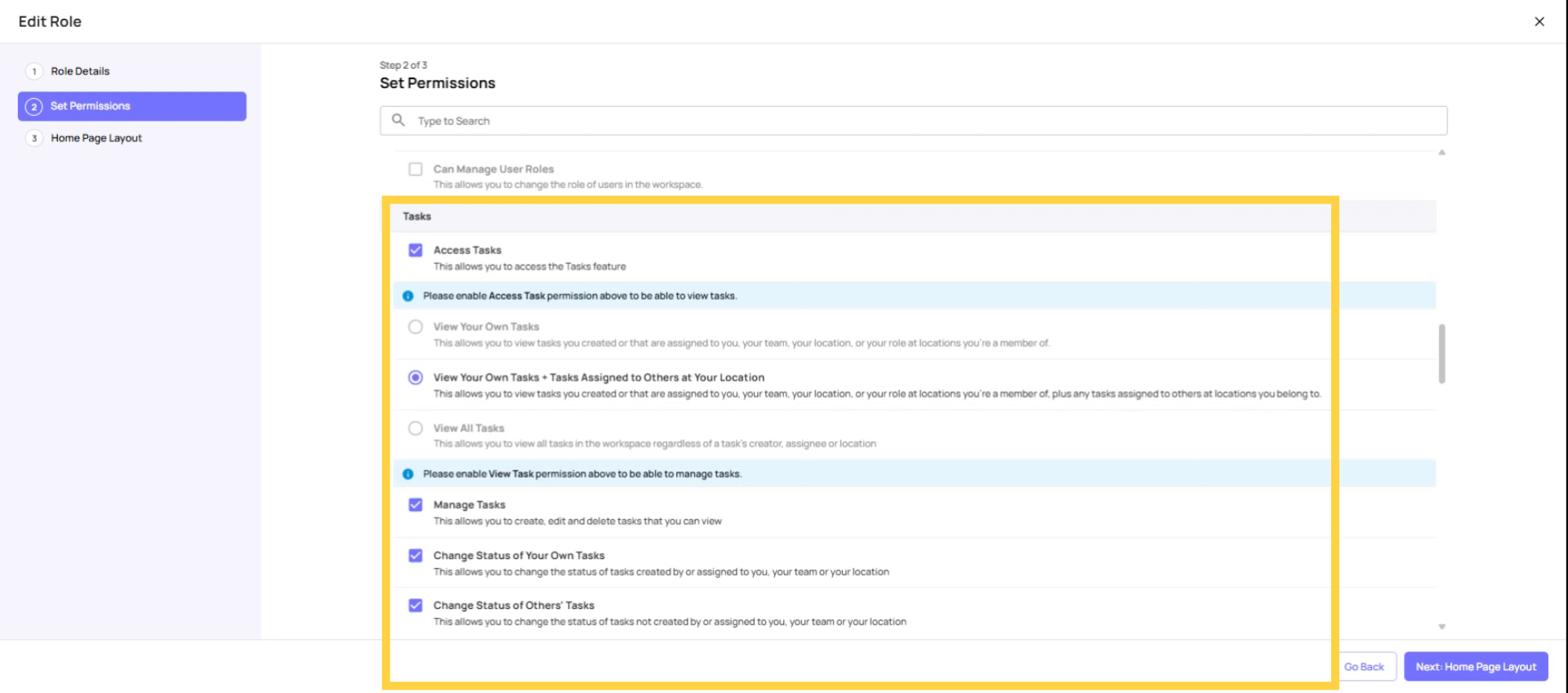
View Your Own Tasks
Option 1: View Your Own Tasks
- Shows tasks that are directly assigned to this user, their team, their role, or their location
- Does NOT show tasks assigned to other people at the same location
- Equivalent to: "I only see what I personally need to do"
- How it works technically: Xenia looks at the assignee field of the task — if this user (or their team/role/location) is in the assignee field, they see it
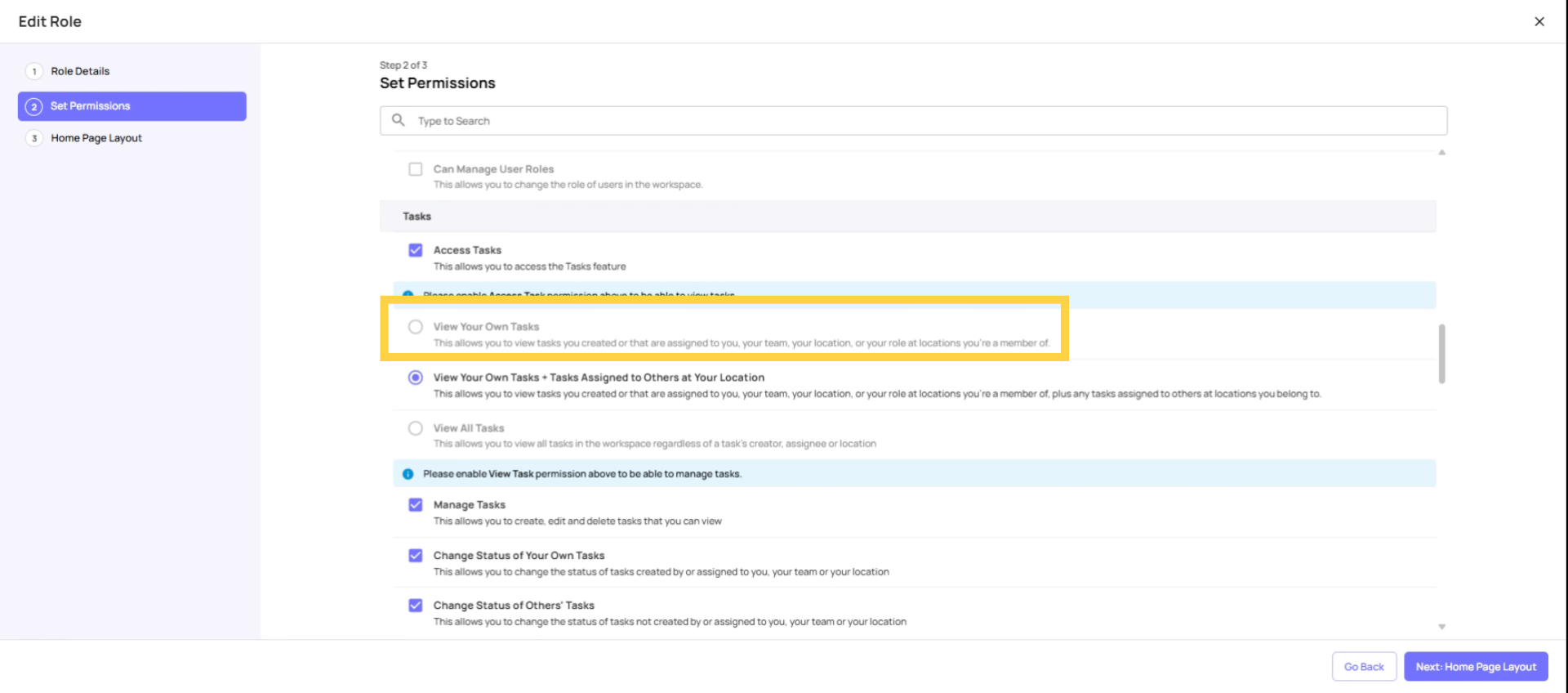
View Your Own Tasks + Tasks Assigned to Others at Your Location
Option 2: View Your Own Tasks + Tasks Assigned to Others at Your Location
- Shows everything the first option shows, PLUS all other tasks tagged to locations the user is a member of
- Allows a manager to see what their entire store is working on — not just their own assignments
- How it works technically: Xenia looks at both the assignee field AND the tag location field — if the tagged location is one this user is a member of, they see it regardless of who it's assigned to
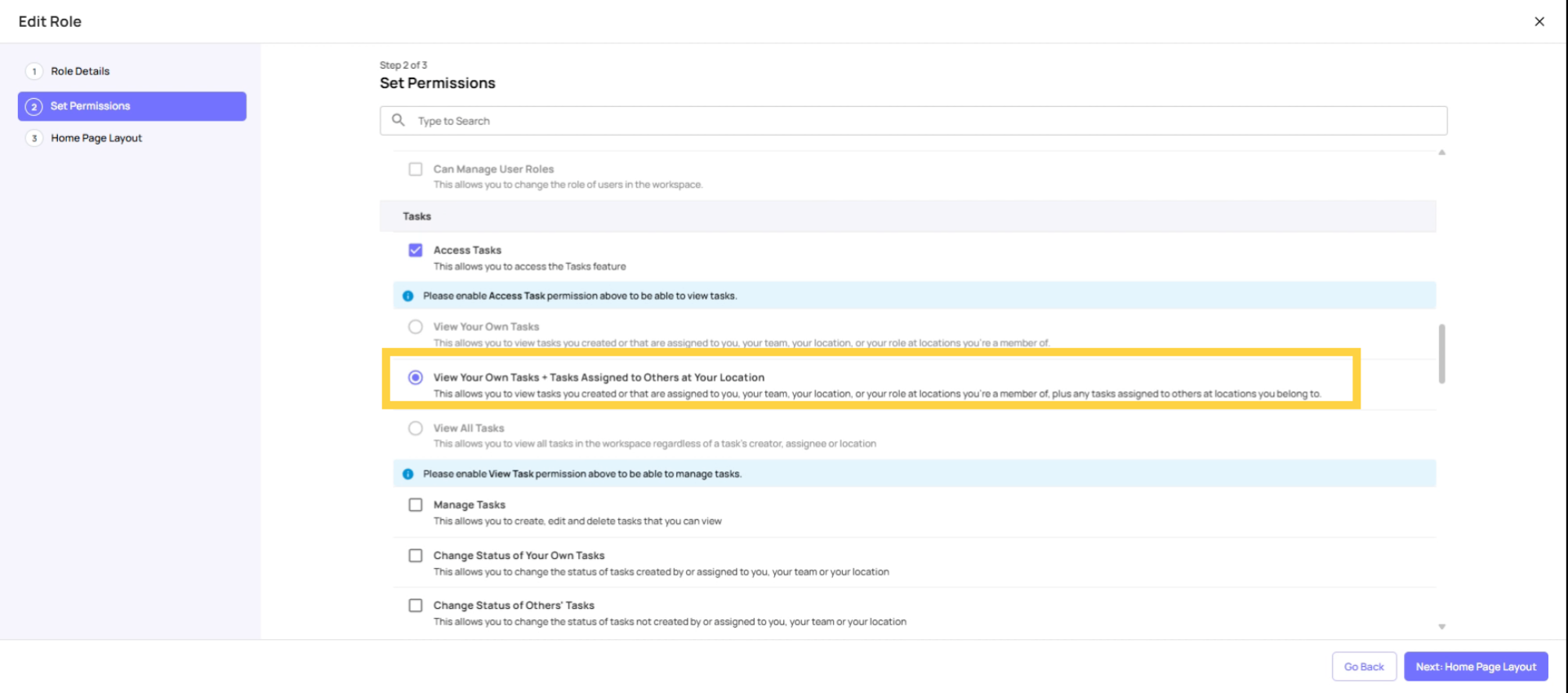
View All Tasks
Option 3: View All Tasks
- Shows every task in the entire workspace — regardless of location, assignee, or tag
- Location membership becomes irrelevant for task visibility (though it still affects other parts of the app)
- Equivalent to: "I can see everything happening in the organization"
- Reserved for Admin and Owner roles
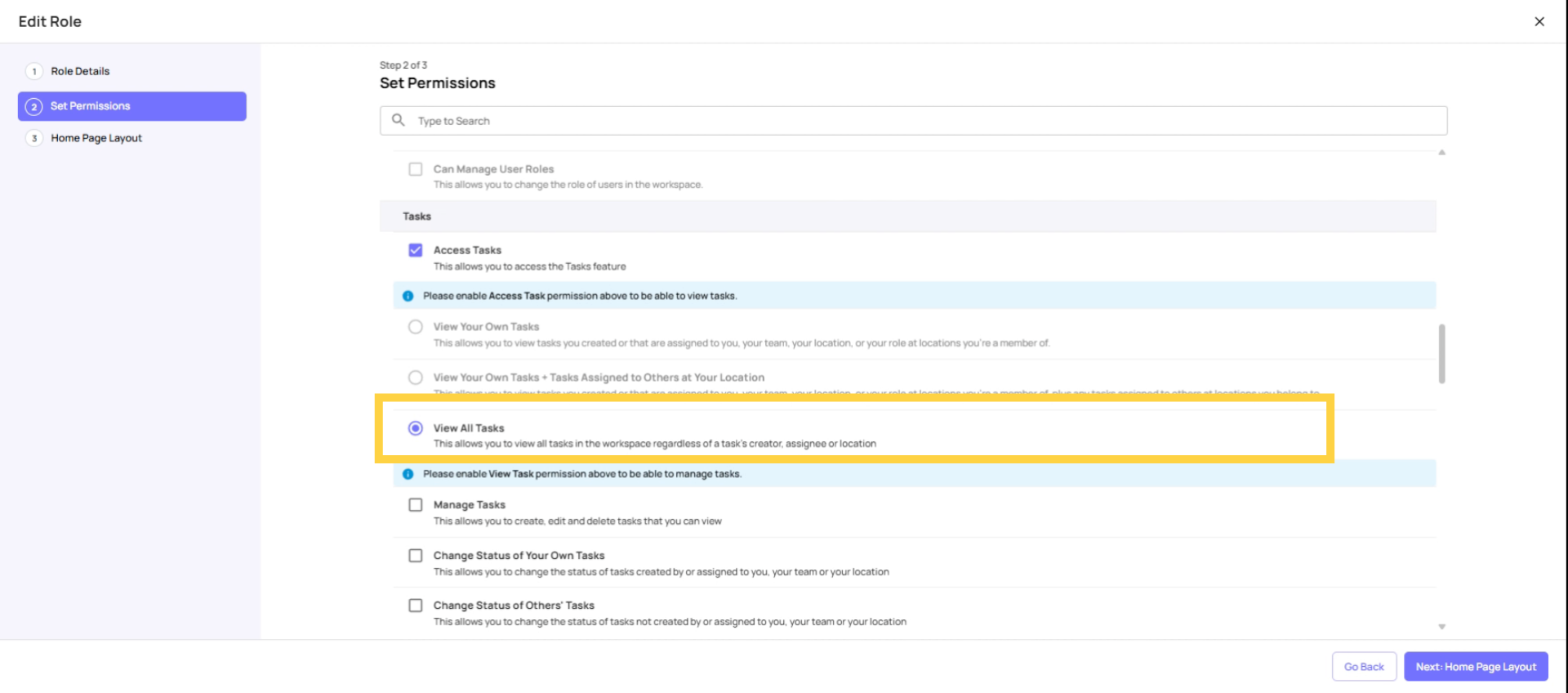
What Each Option Is For
| Option | Who It's Designed For | Practical Effect |
| View Own Tasks | Frontline employees, cashiers, cooks, crew — anyone who should only complete their own assigned work | They see only their checklist for the day. Clean, focused experience. |
| View Own + At Locations | Store managers, shift managers, GMs — anyone who needs to oversee what's happening at their store | They see all tasks at their store. Can check if other roles completed their work. |
| View All | Admins, Owners — full workspace oversight | Every task in the system is visible. |
Store Manager Permission Error
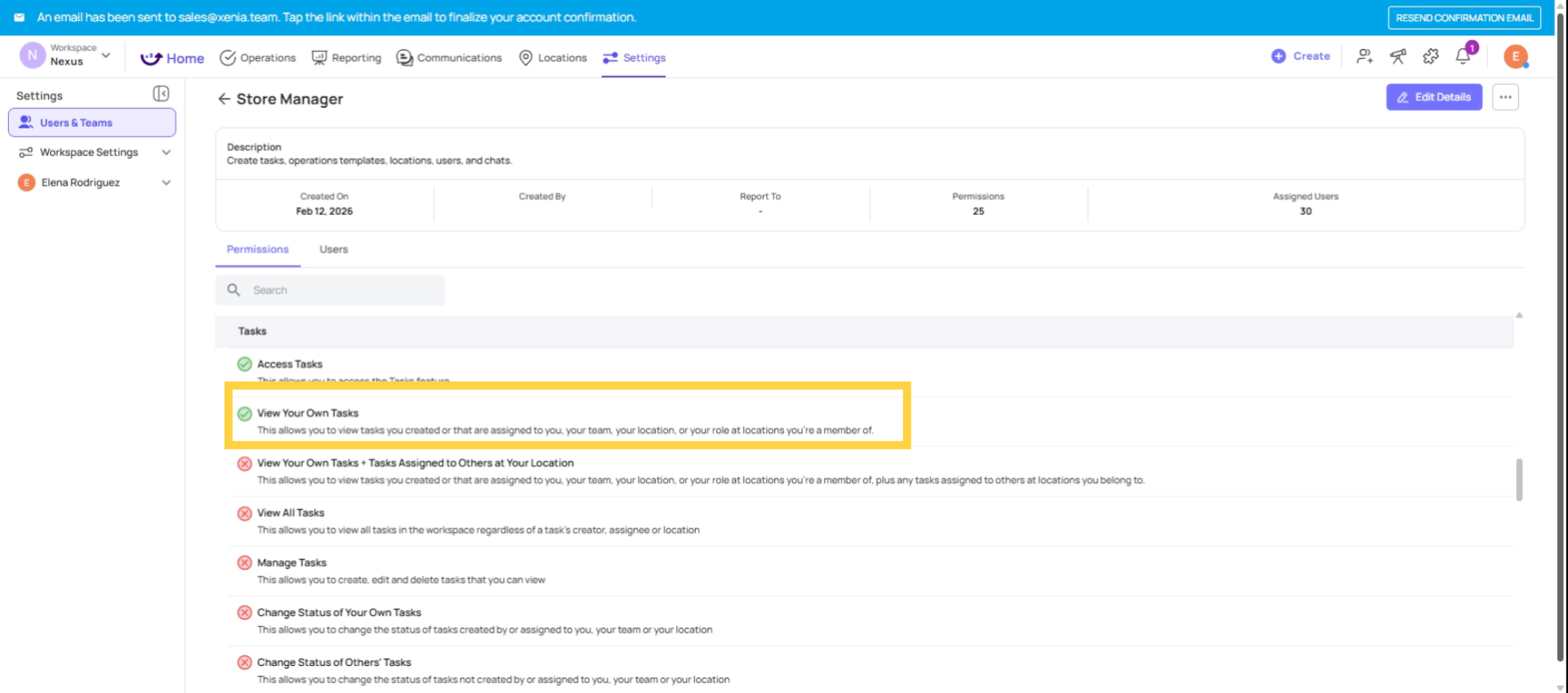
A frequent error involves assigning "View Your Own Tasks" to store managers, instead of "View Your Own + Tasks Assigned to Others at Your Location." Consequently, managers are only able to view tasks assigned directly to them, preventing them from seeing the work of their entire team. This often results in support requests due to their inability to view team task assignments. This issue can be resolved with a quick permission adjustment.
District Manager Permission Issues
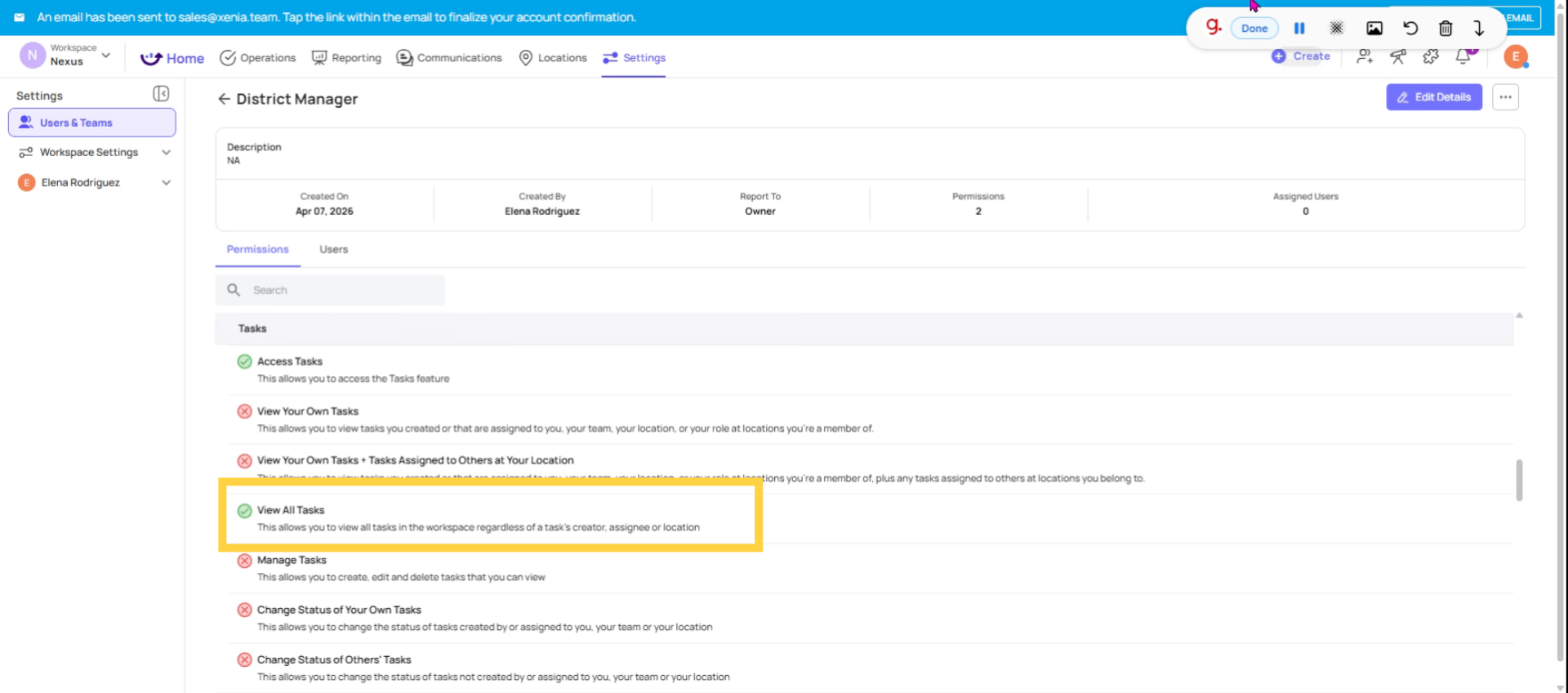
A frequent oversight involves granting district managers "View All Tasks" permissions based on their seniority. This results in them accessing tasks from numerous locations they do not oversee. It is recommended to assign "View Your Own + Tasks Assigned to Others at Your Location" permissions instead, ensuring that only their district stores are included in their location memberships. This approach will provide them with the appropriate level of access.
Manage Task Permission Scope
The Manage Tasks Dependency
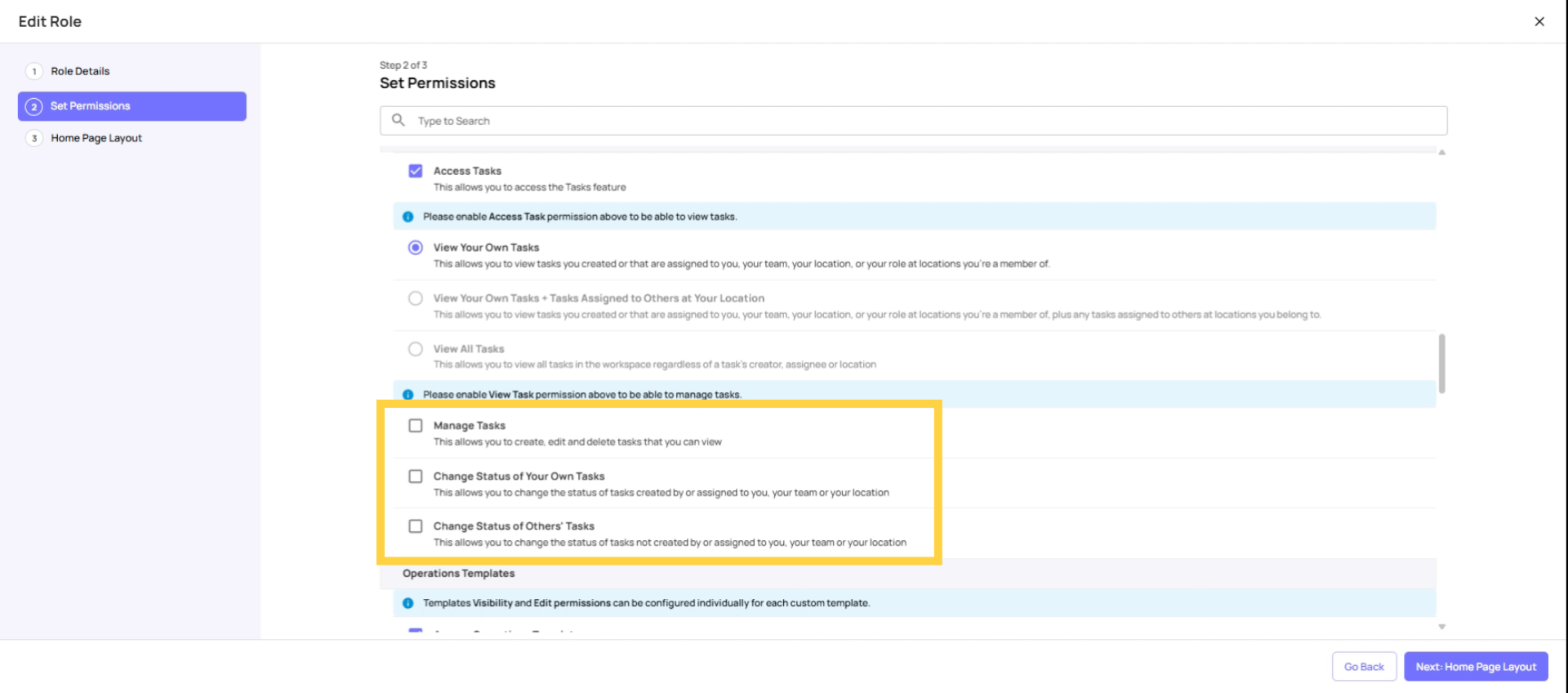
An important nuance: Manage Tasks (the ability to create, edit, delete tasks) is linked to task visibility. A user can only create, edit, or delete tasks they can actually see. So:
- If View Own is set, Manage Tasks only applies to tasks assigned to them
- If View at Locations is set, Manage Tasks applies to all tasks at their member locations
- If View All is set, Manage Tasks applies to everything
This is why it doesn't make sense to give someone "Manage Tasks" but only "View Own Tasks" — they'd be able to manage tasks, but only the ones visible to them.
This article clarifies the task visibility settings in Xenia, helping you configure permissions correctly for different roles. For more information, explore related articles on user roles and task management in the knowledge base.
Need Help?
Reach out to us at Support@xenia.team
Need Help?
Reach out to us at Support@xenia.team
Comments
0 comments
Please sign in to leave a comment.