
Understand Account Setup Options
The Decision That Shapes Everything
One of the first setup decisions every admin faces is: should each person get their own account, or should accounts be tied to positions rather than people?
In Xenia, there's no single right answer — it depends on your org's turnover rate, accountability requirements, and how many roles you plan to deploy. What's important is making this decision intentionally before you start inviting users, because it affects your email strategy, your project setup, and how much admin work you'll carry when staff changes.
About half of Xenia customers use a hybrid approach — individual accounts for management and role-based accounts for frontline. That's the recommendation we'll return to throughout this article.
Review Individual Account Benefits
Option 1: Individual Accounts
How it works: Every employee gets their own unique account tied to their personal or work email address. Their name shows up in submissions and reports.
How to set one up:
- Email: john.smith@yourcompany.com or jsmith@yourcompany.com
- One account per person
- Assign their role and location(s) in Xenia
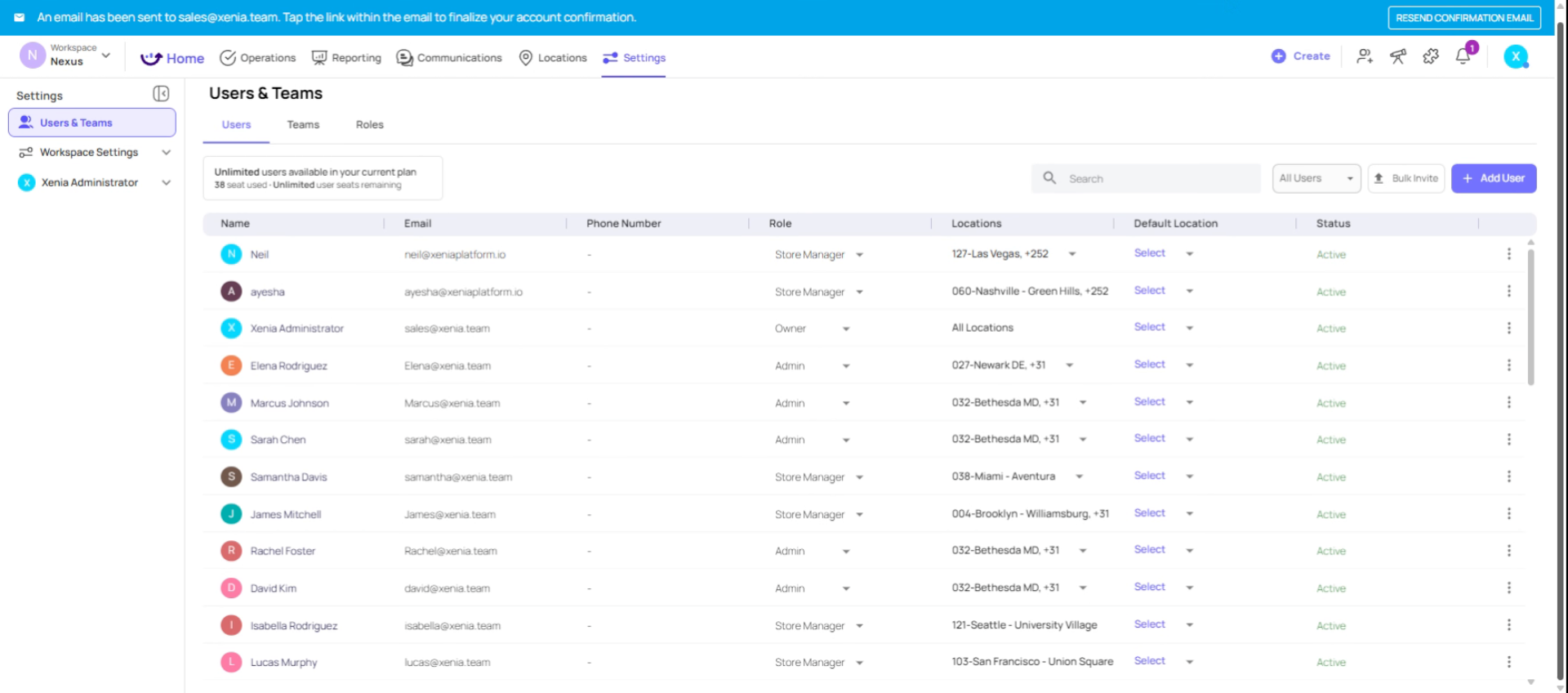 What this enables:
- Individual accountability — submissions are attributed to a named person
- Individual performance tracking — you can see who completed what, and when
- Personalized task assignments — you can assign a one-off task directly to a named employee
- Fine-grained access control — each person can have slightly different location access
The downside — turnover admin: When someone leaves, you need to deactivate or delete their account. When a replacement starts, you need to create a new account and invite them. For positions with frequent turnover — cashiers, crew members, baristas — this becomes a significant ongoing maintenance burden at scale.
Best for:
- Managers, supervisors, district managers, regional directors
- Any role where individual performance visibility matters
- Any role where personalized task assignments are needed
- Positions with low to moderate turnover
Explore Role-Based Account Advantages
Option 2: Role-Based Shared Accounts
How it works: Instead of creating accounts for specific people, you create accounts tied to a position at a specific location. The email and login credentials belong to the role, not the individual.
Naming convention:
- storemanager.downtown@yourcompany.com
- cashier.store5@yourcompany.com
- cook.location12@yourcompany.com
- barista.rally@yourcompany.com
The critical rule: Every email must be unique. You cannot use the same email for multiple accounts — even if they're the same role at different locations. One account per role per location.
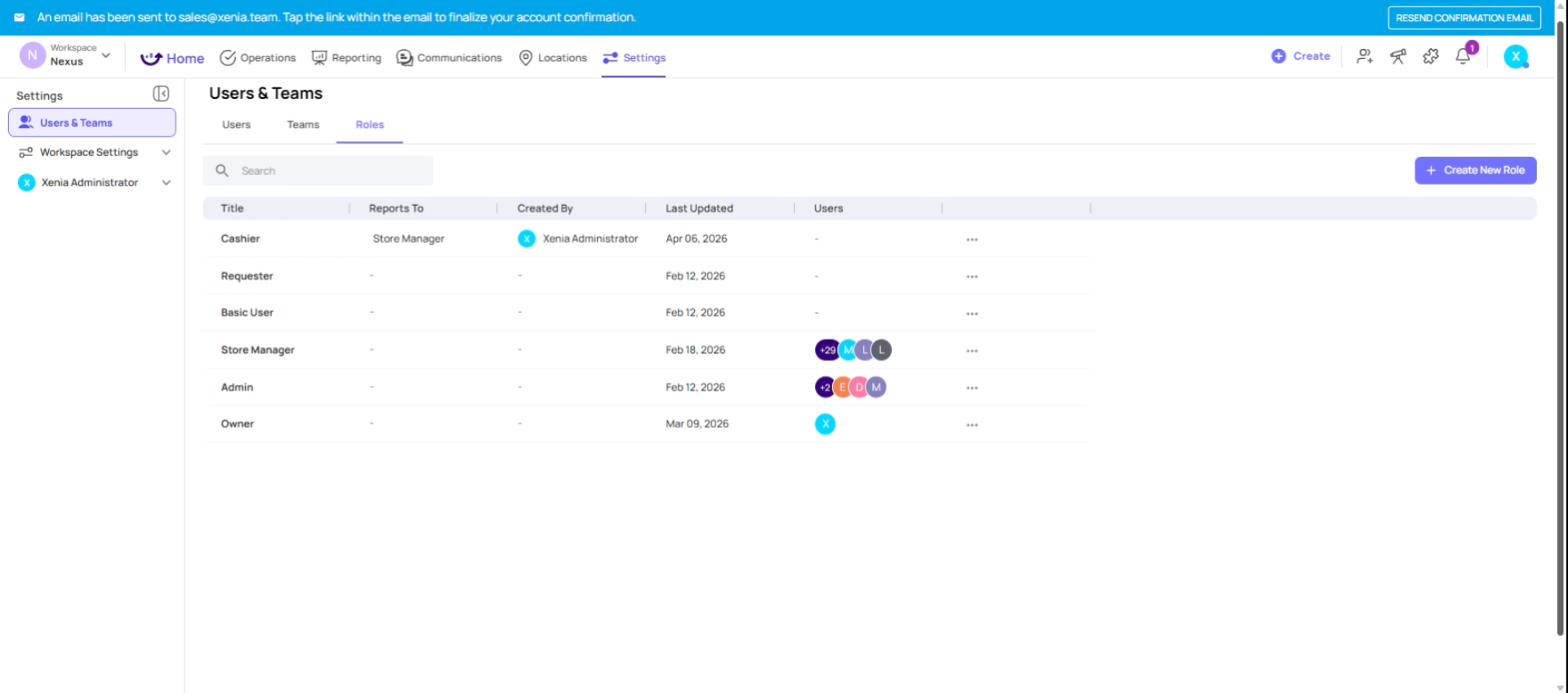 What this enables:
- Zero turnover admin — when an employee leaves and a new one starts, you only need to reset the password. No account creation, no role reassignment, no project updates.
- Continuity — the role-based project you set up keeps running exactly as configured, regardless of who's in that seat
- Simplicity — the new employee walks in, gets the login credentials, opens the app, and sees their tasks
The tradeoff — accountability:
- Submissions are attributed to the account name (e.g., "Store 5 Manager"), not the person who actually completed it
- You can't track individual employee performance — only position-level performance
- If you need to know who specifically completed a checklist, you'd need to add a "Name" or "Employee ID" step to the template itself to capture that manually
The same account can be logged into multiple tablets simultaneously. So if you want the barista station and the kitchen each to have a tablet logged into the same "Store" account, that works fine.
Best for:
- High-turnover frontline positions (cashiers, crew, cooks, baristas, servers)
- Positions where task completion matters more than individual attribution
- Organizations with many locations who want to minimize ongoing admin work
Understand Hybrid Account Usage Patterns
Option 3: The Hybrid Approach (Recommended for Most Orgs)
Most Xenia customers settle here — and it's the approach we recommend as a starting point:
Management layer → Individual accounts
- District managers, regional directors, GMs, supervisors
- These roles have lower turnover and accountability matters — knowing which DM signed off on what is valuable
Frontline layer → Role-based accounts
- Store-level positions with higher turnover
- One account per role per location
- Simple, low-maintenance, scalable
Example setup for a 3-location restaurant chain:
| Account | Role in Xenia | Location | |
| Regional Director (personal) | sarah.jones@company.com | Regional Director | All 3 locations |
| GM - Store 1 (personal) | mike.chen@company.com | General Manager | Store 1 |
| Store Account - Store 1 | store.account.1@company.com | Store Role | Store 1 |
| Cashier - Store 1 | cashier.store1@company.com | Cashier | Store 1 |
| Cook - Store 1 | cook.store1@company.com | Cook | Store 1 |
| Store Account - Store 2 | store.account.2@company.com | Store Role | Store 2 |
| Cashier - Store 2 | cashier.store2@company.com | Cashier | Store 2 |
| ...and so on |
Create Role-Based Accounts
Summarize Account Setup Strategies
Need Help?
For assistance please reach out to us at support@xenia.team
Comments
0 comments
Please sign in to leave a comment.