How Xenia Invite Links Work — Expiration, Resending, and the Firebase Wrapper
Last updated: October 19, 2026
1. The Short Answer
Xenia invite links do not expire on a timer. There is no "after X days the link dies" rule built into the system. A link sent today is equally valid in 5 months as it is in 5 minutes — with three specific exceptions.
2. The Three Reasons a Link Stops Working
Reason 1 — The person already accepted it
Invite links are single-use. The moment someone clicks "Let's go" and finishes setting up their account, that link is consumed. If they try to use it again — or if someone else tries to use the same link — it won't work. The link has done its job.
What the user sees: A message indicating the invite has already been used or the account already exists.
What to do: Nothing — the person is already in. If they need to access their account, direct them to the login screen and the Forgot Password flow.
Reason 2 — The person was re-invited (or their HRIS sync regenerated them)
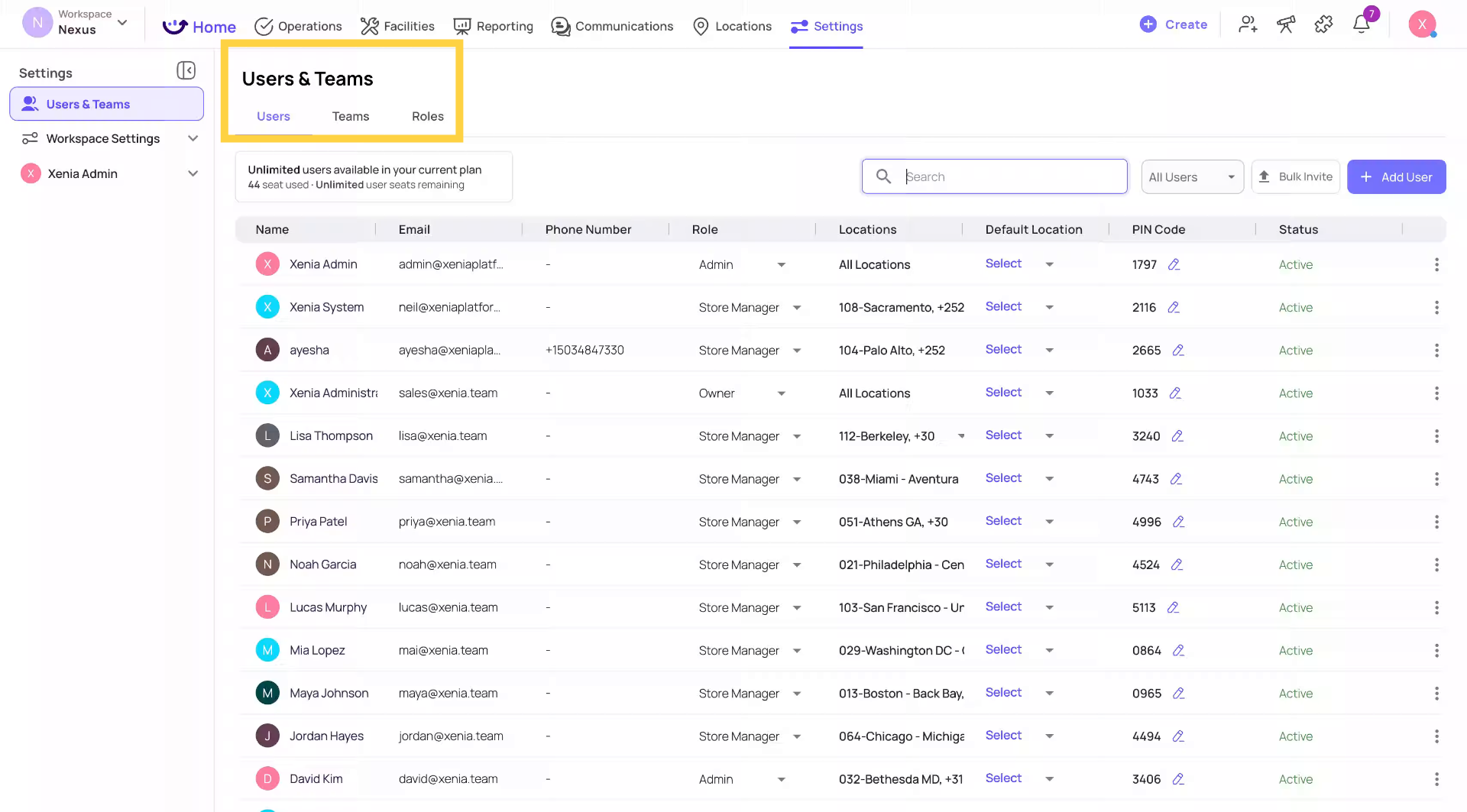
When an admin resends an invite — whether manually clicking Resend Invite in Settings → Users, or through an automatic HRIS integration sync — Xenia invalidates every previous invite link for that user and generates a new one.
Only the most recent invite link works. If someone has been invited three times, only the third email's link is valid. Clicking the first or second will be rejected.
This happens silently for some customers. Organizations with nightly HRIS sync integrations have their user accounts automatically regenerated on a regular schedule. This silently invalidates old invite links without any admin action. If a user at one of these organizations says their link stopped working overnight, this is almost certainly the reason.
What the user sees: When clicking an older link, they typically see a rejection — the backend responds quickly with an error, never a hang or timeout.
What to do: Resend the invite from Settings → Users. The user should use only the most recent email.
Reason 3 — The Firebase short-link wrapper hiccupped
This is the technical one. The button in the invitation email — the big "Accept Invitation" or "Let's go" button — doesn't link directly to Xenia. It goes through a short-link service provided by Firebase (Google's app development platform), which then redirects to the actual Xenia invite URL.
The link looks like something in the link.xenia.team domain. This Firebase wrapper is what makes the link work cleanly across different devices and platforms (desktop vs. mobile, different email clients).
Occasionally, the Firebase short-link service itself has an outage or hiccup. When this happens, clicking the invite button leads to a blank screen or a "This site can't be reached" error — not because the invite itself is invalid, but because the redirect service temporarily failed.
What the user sees: A blank or black screen, or a browser error like "This site can't be reached." This looks identical to what they'd see with a genuinely expired or invalid link — but the cause is different.
How to tell the difference: If multiple users are reporting the same blank-screen issue at the same time, it's likely a Firebase outage affecting the short-link wrapper — not an issue with the individual invites. Check Firebase Status (status.firebase.google.com) to see if there's a reported outage.
What to do:
- Ask the user to try copying the full URL from the email rather than clicking the button — if the full Xenia URL is visible anywhere in the email body, it bypasses the Firebase wrapper
- Wait a few minutes and try again — Firebase outages are typically brief
- If the issue persists, resend the invite. The new email generates a new Firebase short-link, which may resolve the issue if the original wrapper URL was specifically affected
3. Frequently Asked Questions
Q: Do Xenia invite links expire after a certain number of days?
No. There is no time-based expiration on invite links anywhere in Xenia's system. A link from 5 months ago is technically still valid as long as it hasn't been consumed by an accepted invite or replaced by a newer invite.
Q: Does timing differ between an initial invite and a resent invite?
No. Both have the same indefinite validity from the moment they're sent. The only difference is that sending a new invite cancels every older invite for that user. If the same person has been invited multiple times, only the most recent link works.
Q: What exactly happens when someone clicks an old or invalid link?
The Xenia backend responds quickly — it never hangs or times out. One of these outcomes occurs:
| Situation | What the user sees |
| Link already consumed (accepted) | Message that the account already exists or invite was already used |
| Newer invite exists (link invalidated) | Rejection — link is no longer valid |
| Firebase wrapper hiccup | Blank screen or "This site can't be reached" browser error |
| Valid link, not yet used | Normal account setup flow — proceeds correctly |
Q: My user says their link stopped working even though they never clicked it. Why?
Most likely: a resend was triggered. Either an admin resent the invite, or an HRIS sync regenerated the user automatically. Both actions invalidate all previous invite links for that user. Send a new invite and make sure the user uses the most recent email only.
Q: We have an HRIS integration. Does that affect invite links?
Yes. If your integration runs automatic syncs (nightly or otherwise), user accounts may be regenerated automatically on each sync cycle. This invalidates previous invite links for affected users. Users should always accept their invite before the next sync runs. If they miss the window, a new invite can be resent and will work until the following sync.
Q: A user got a blank screen when clicking the button in their email. Is their invite broken?
Maybe, but not necessarily. The blank screen could be the Firebase short-link wrapper failing temporarily rather than an invalid invite. Ask them to try again after a few minutes. If the problem persists, resend the invite — a fresh link with a fresh Firebase wrapper usually resolves it.
Summary for Admins — What to Do When an Invite Isn't Working
| Symptom | Most Likely Cause | What to Do |
| "This invite is invalid" or similar rejection message | Invite was replaced by a newer one | Resend invite — use only the new email |
| "Account already exists" message | Person already accepted the invite | They're already in — direct to login |
| Blank screen or "site can't be reached" | Firebase wrapper hiccup | Wait a few minutes and retry; or resend invite |
| Invite stopped working overnight (no admin action) | HRIS sync automatically regenerated the user | Resend invite; advise user to accept before next sync |
| Multiple users reporting the same blank screen simultaneously | Firebase service outage | Check status.firebase.google.com; wait for resolution |