Xenia Approval Workflows: HR Employee Forms (Mobile + Web)
Last updated: October 19, 2026
🔎 Overview
Approval Workflows in Xenia allow HR teams to review, approve, reject, or request changes on employee submissions, such as:
New hire packets
Onboarding & offboarding forms
Employee evaluations
Disciplinary forms
Policy acknowledgment forms
This ensures HR has full control and all employee-related documentation is accurate and compliant.
🛠 Step-by-Step Instructions
Follow the video guide below to configure:
📁 Web Experience:
1️⃣ Prerequisites
To use Approval Workflows, you must:
✔ Have a Human Resources role created
✔ Assign HR personnel to this role
✔ Have HR templates digitized (employment, onboarding, evaluations, etc.)
2️⃣ Create or Edit an HR Template
Navigate to Templates
Open the HR form template
Ensure all steps are clearly structured
Enable “Submit Entire Template”
(Approval workflows currently apply to the full template, not individual steps.)
3️⃣ Create the Workflow
Inside the template>Click edit>Go to Workflows
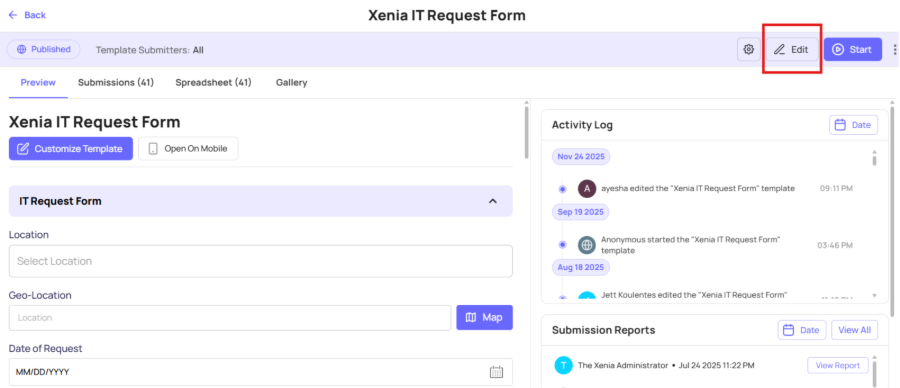
Select Approval Workflow

Click Create New Workflow

Name it:
“Employee HR Form Approval” or any name that you want.
Select the HR Templates to attach
Assign the Approver Role (HR) or any approver that you require.
Choose notification settings
Select recipients to whom the completion report will be sent.
4️⃣ Submission Process (Employee / Manager)
Employee or manager fills the HR form
Submits the template
HR receives a notification
HR opens submission and reviews:
Step-by-step details
Attachments
Comments
5️⃣ Approval Options for HR
HR can choose:
✔ Approve
Marks submission Approved and locks it from changes.
❌ Reject
Rejects the submission and notifies the submitter.
🔄 Request Changes
Reopens the submission so the employee can fix mistakes and resubmit.
📲 Mobile App Experience
Employees can:
Fill the form
Submit
Receive notifications
Resubmit if required
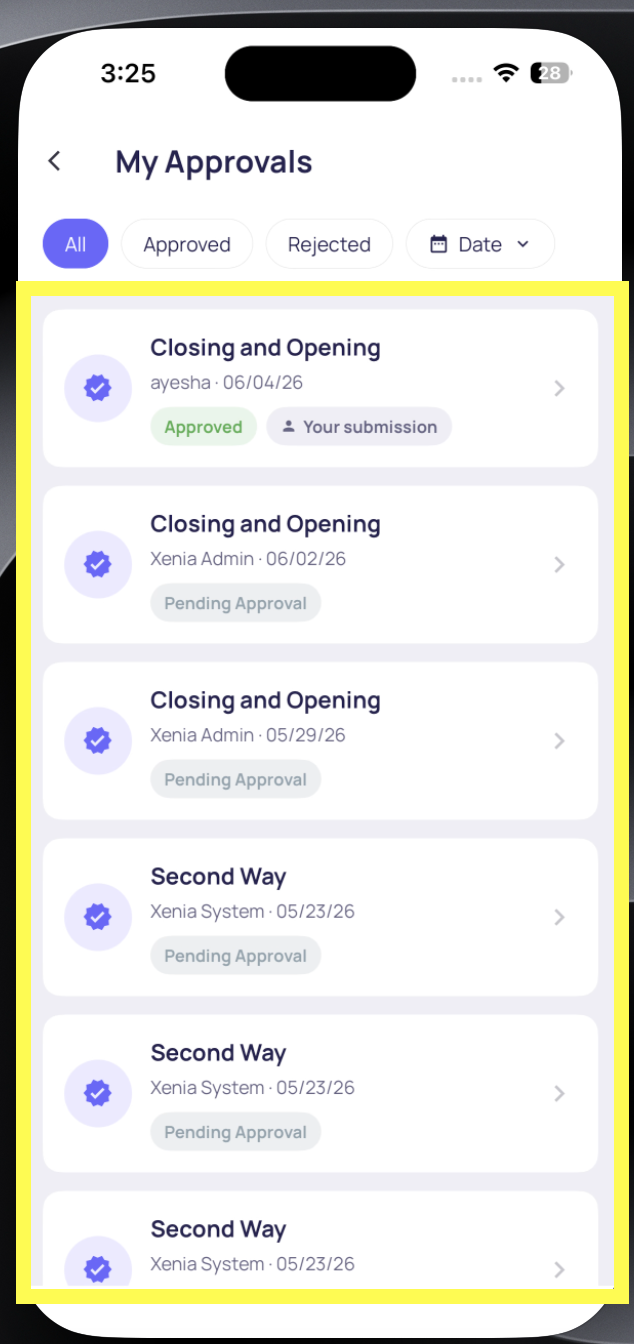

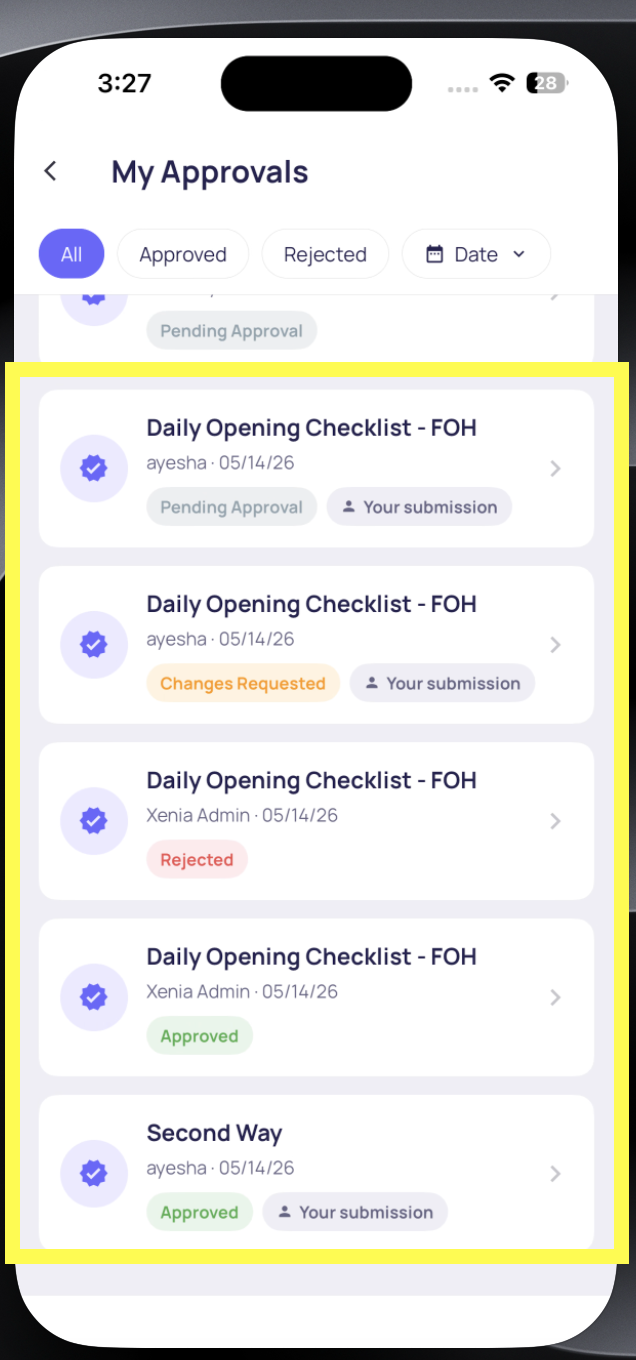
HR can review on web for best visibility.
🎯 Why Use Approval Workflows?
Centralized HR oversight
Reduce errors in employee documents
Maintain clean digital records
Ensure managers submit complete forms
Track every action with transparency
📦 Use Cases
👩💼 HR Onboarding
New employees submit forms → HR approves → stored securely.
📄 Employee Evaluations
Managers complete evaluation → HR reviews for accuracy.
🏷 Disciplinary Reports
Supervisor submits incident report → HR verifies details.
📁 Employee File Updates
Name changes, bank info, policy acknowledgment → all routed through HR.
🧰 Troubleshooting
❗ Submitter cannot see the template
Check if the template is assigned to their role, team, or location.
❗ Workflow not triggering
Ensure the template is linked to the workflow.
❗ HR not receiving notifications
Verify notification settings in the workflow.
❗ HR role not appearing
Ensure the role exists and users are assigned properly.
Need Help?
For technical support or setup assistance, contact us at:
support@xenia.team