Making Public Access Forms (Public Link & QR Codes)
Last updated: October 19, 2026
In Xenia, you can turn any operations template into a publicly accessible form. These forms can be accessed via a Public URL Link and a QR Code.
How To Do This:
To create a public link or QR code for your template follow these steps. Anyone that scans this QR Code will be able create a submission (whether they are Xenia Users or not).
- Navigate to the specific template's settings (if User is a Template Admin).
- Click on "Make Public and Share"
- Toggle Public Access "On"

- Click on "Add QR Code"

- Click on "View" to download and/or print the QR image.
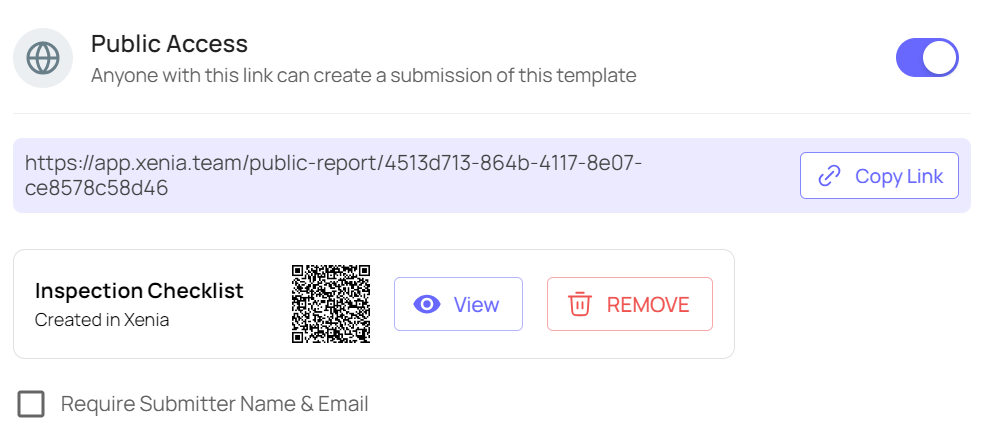
- Copy the public link and share this with non-Xenia Users, or download / print the QR Code (which can be scanned from any device with a Camera).